
Ava Studio
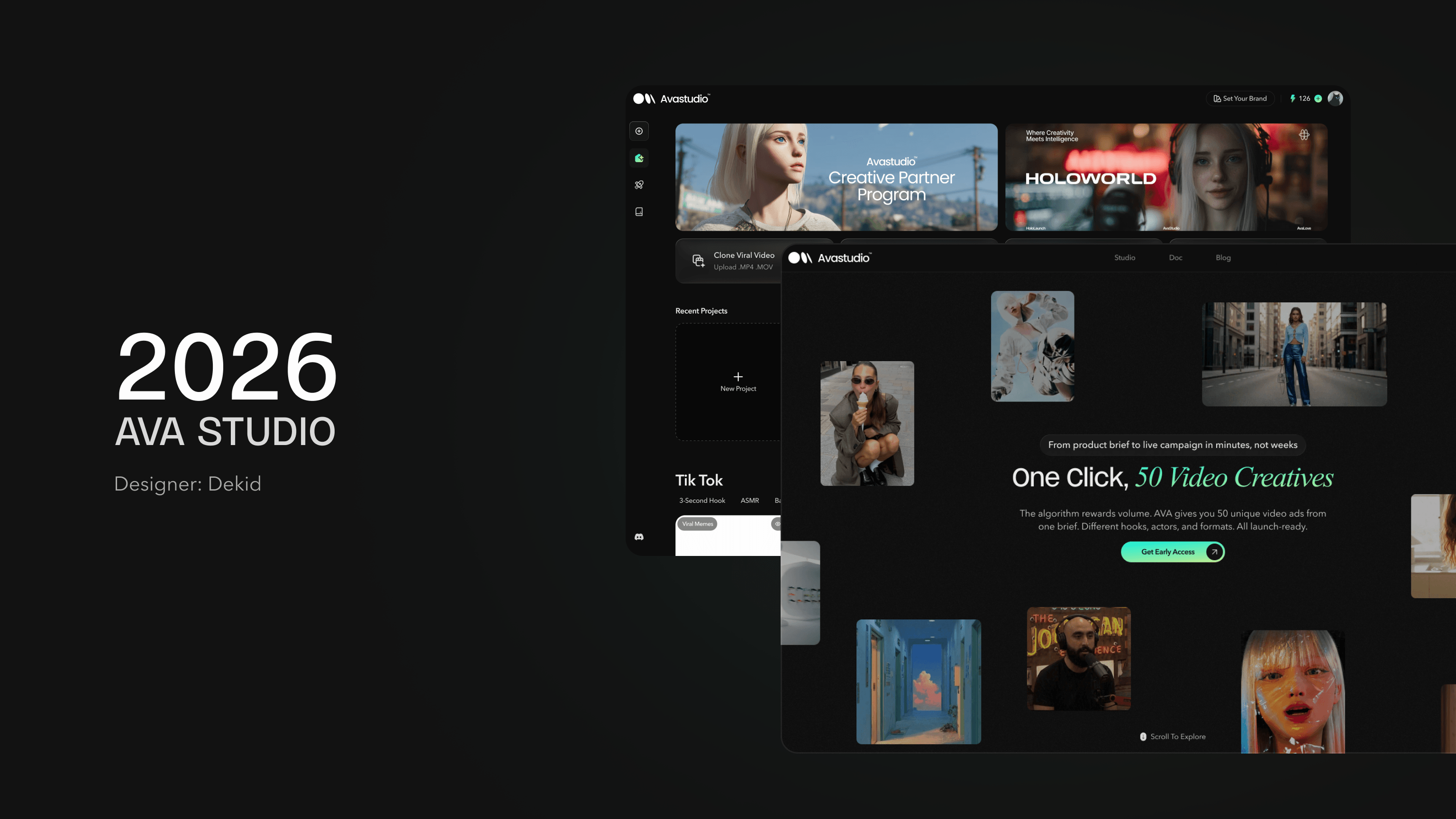
Ava Studio is an AI-powered video platform that generates complete short-form videos from prompts, including scripting, visuals, voiceover, and editing. It streamlines the end-to-end creation process, enabling fast, scalable content production.
My Role
Product Designer
System Builder
Motion Maker
Claude Developer
Tools
Figma
Rive
Unicorn Studio
Claude Code
After Effects
Timeline
2025-2026
User Persona
To ensure Ava Studio is designed around real business needs rather than assumptions, we developed a set of user personas based on the platform’s target audience, value proposition, and common advertising workflows.
These personas represent the primary users who rely on high-volume creative production to drive marketing performance, including growth marketers, media buyers, founders, and creative strategists. By understanding their goals, motivations, challenges, and workflows, we can identify opportunities to streamline content creation, reduce production bottlenecks, and improve campaign efficiency.
The personas serve as a reference throughout the product design process, helping the team make user-centered decisions and prioritize features that deliver the greatest value to Ava Studio’s core customers.

Sarah Chen
Growth Marketing Manager, 32
DTC E-commerce Brand
(20–50 employees)
“I don’t need one perfect ad. I need fifty ads to find the winner.”
Background
Sarah manages paid advertising across TikTok, Meta, and YouTube. Her team needs a constant flow of new creatives, but traditional production is too slow and expensive.
Goals
- Launch more ad variations
- Find winning creatives faster
- Improve CTR and ROAS
Pain Points
- Long production cycles
- High content creation costs
- Limited testing capacity
How Ava Helps
- Generates multiple ad concepts from one brief
- Creates 50 ad variations instantly
- Automates actors, hooks, and captions

Jason Miller
DTC Brand Founder, 38
Consumer Product Brand
(5–10 employees)
“Every ad revision costs money and time.”
Background
Jason runs a growing e-commerce brand without an in-house creative team. He relies heavily on agencies and freelancers to produce video ads.
Goals
- Reduce outsourcing costs
- Launch campaigns faster
- Scale content production
Pain Points
- Expensive agencies
- Slow turnaround times
- Costly revisions
How Ava Helps
- Eliminates the need for production teams
- Creates launch-ready ads in minutes
- Supports rapid creative testing

Alex Rodriguez
Media Buyer, 29
Performance Marketing Agency
“Creative is the new targeting.”
Background
Alex manages large advertising budgets and believes creative volume is the biggest driver of campaign performance.
Goals
- Increase creative output
- Reduce CPA
- Improve campaign performance
Pain Points
- Creative fatigue
- Limited content supply
- Slow iteration cycles
How Ava Helps
- Generates high-volume ad creatives
- Tests multiple hooks and actors
- Accelerates creative iteration

Emily Park
Creative Strategist, 35
UGC Creative Agency
“Clients want more content, faster than ever.”
Background
Emily manages content production for multiple clients. Coordinating creators, shoots, and revisions creates significant operational overhead.
Goals
- Reduce outsourcing costs
- Launch campaigns faster
- Scale content production
Pain Points
- Expensive agencies
- Slow turnaround times
- Costly revisions
How Ava Helps
- Eliminates the need for production teams
- Creates launch-ready ads in minutes
- Supports rapid creative testing
User Flow
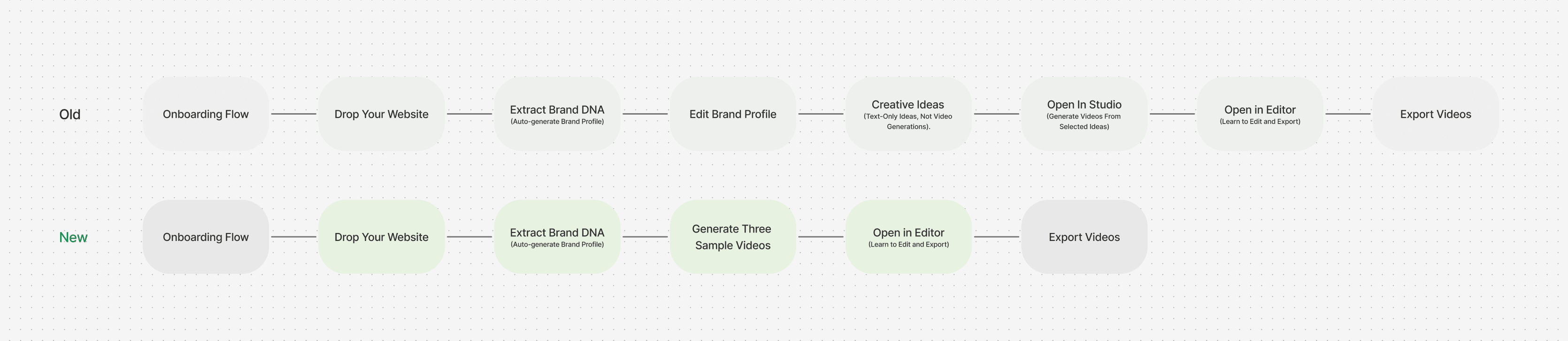
Old Onboarding Flow vs New Onboarding Flow
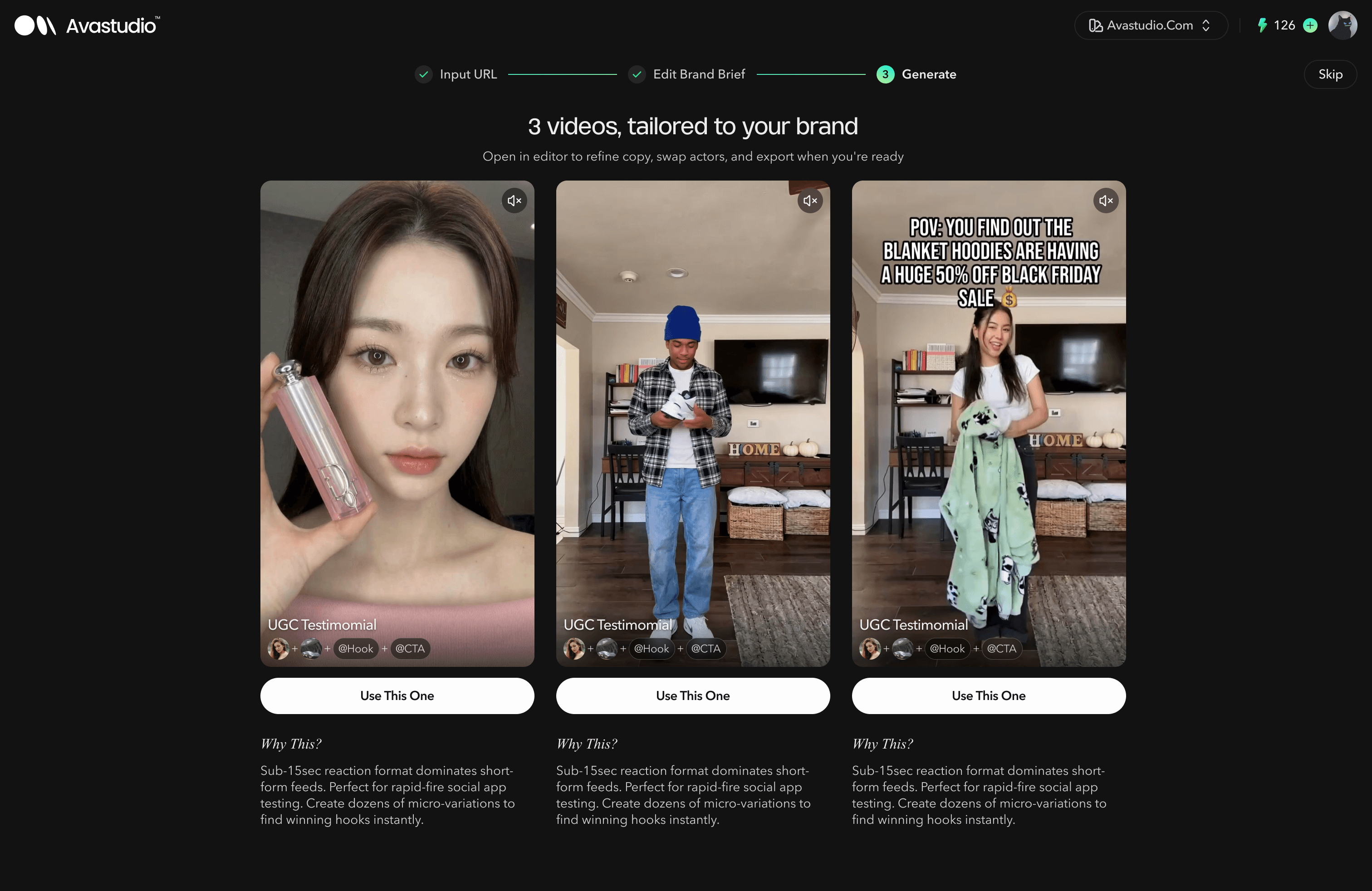
The previous onboarding flow did not allow users to see pre-generated videos. Instead, users first saw text creatives and then had to click through to Studio to generate a video. This caused many users to drop off at this stage because the barrier to entry was too high. By switching to directly generating preset videos, users can reach the aha moment much faster, resulting in a higher conversion rate.
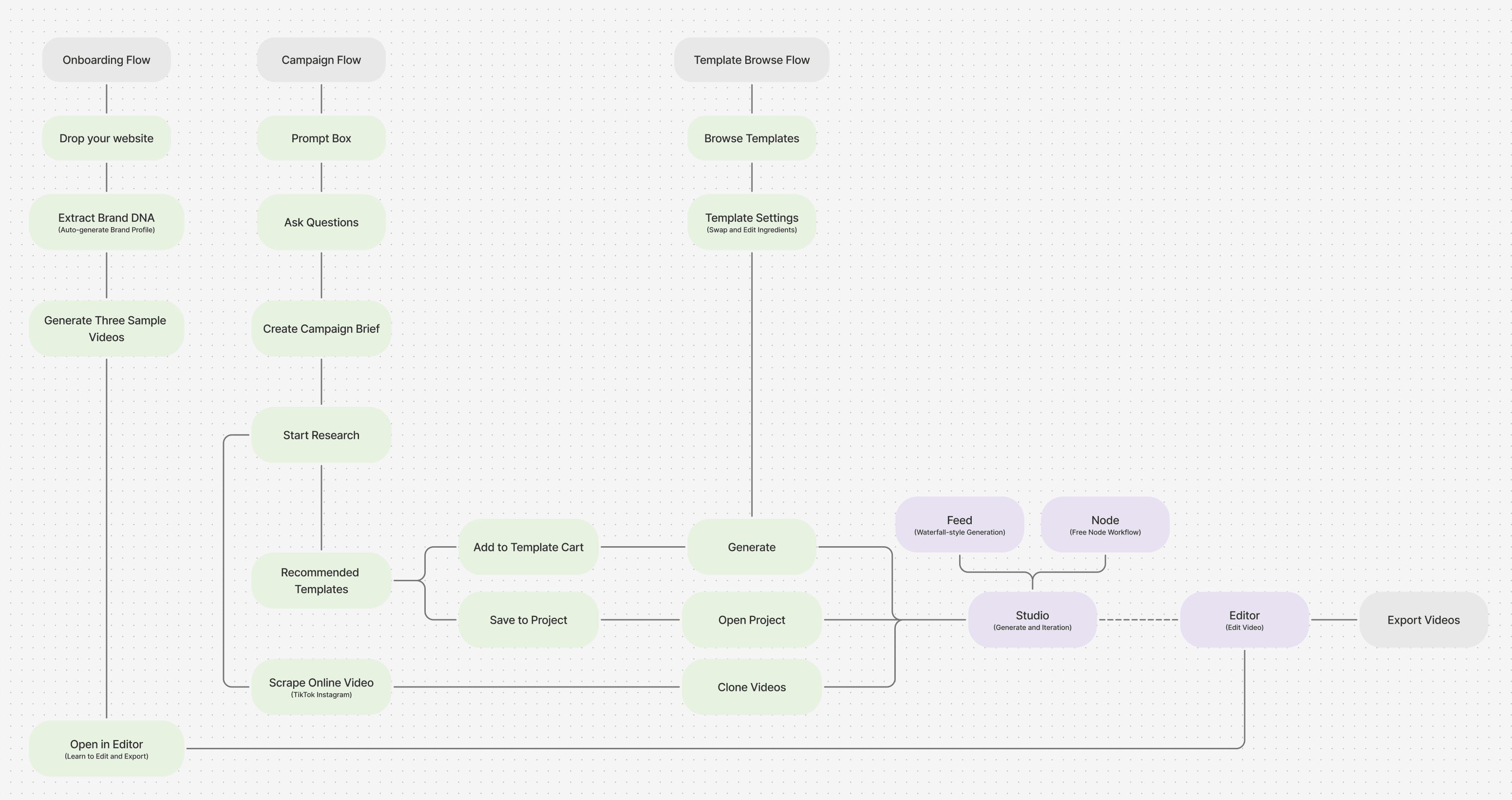
Three entry paths. One unified workflow from idea to exported video.
Landing Page Strategy & Execution
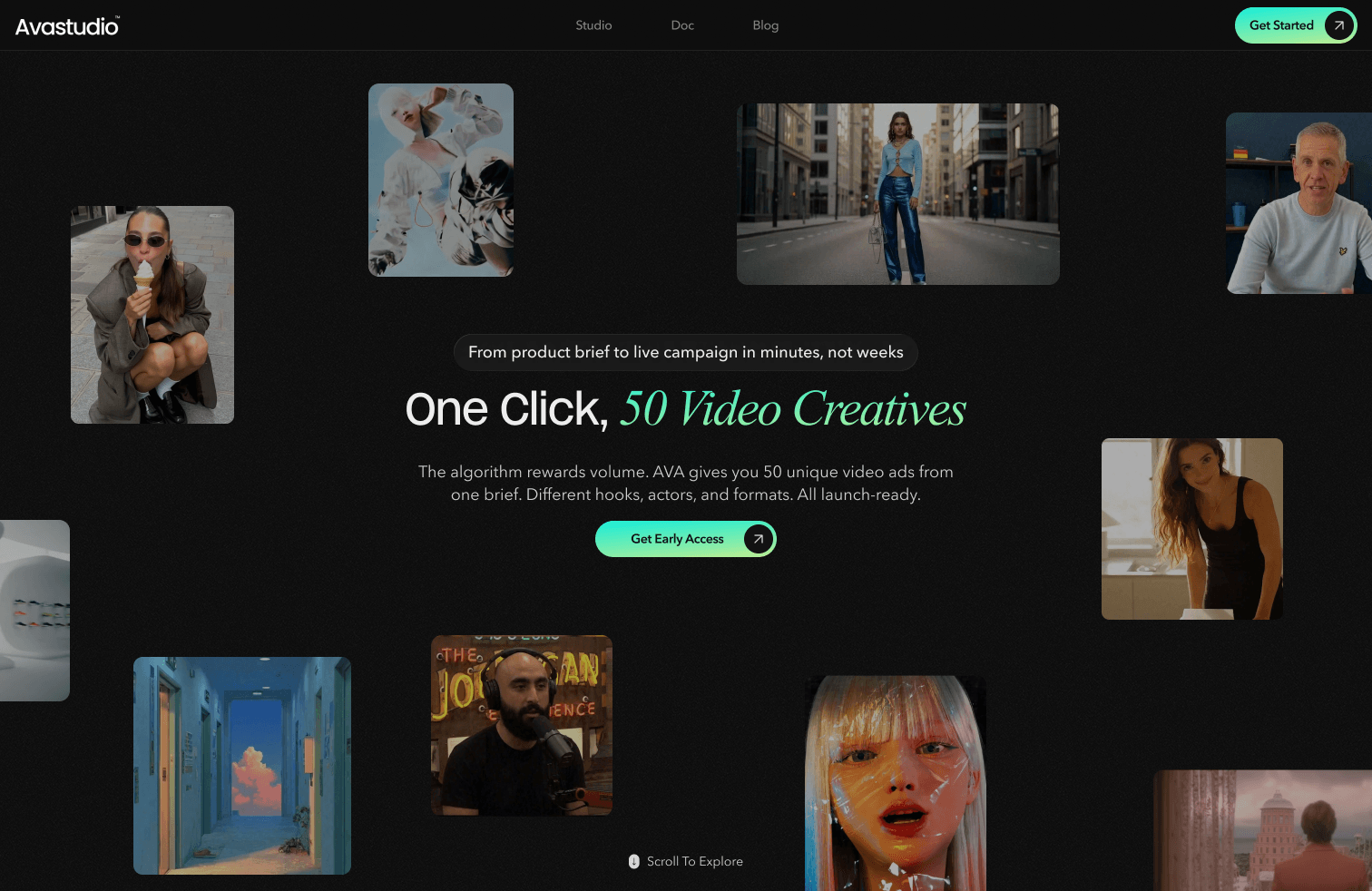
The landing page was designed around outcome-based storytelling, using a clear problem–solution–proof framework to communicate business value before introducing product functionality. This approach reduces cognitive load, improves message retention, and increases conversion potential among performance-driven marketers.
To further enhance engagement and product comprehension, I created a series of polished motion demonstrations showcasing key platform capabilities. Using Rive, Adobe After Effects, and motion design principles, I designed sleek, lightweight animations that visually communicate complex workflows such as AI storyboard generation, creative variation testing, and automated post-production. These animations helped transform abstract AI concepts into tangible product experiences, improving both clarity and perceived product sophistication.
Iteration
1.Homepage
The homepage went through three major iterations, reflecting the product’s evolving direction and positioning.
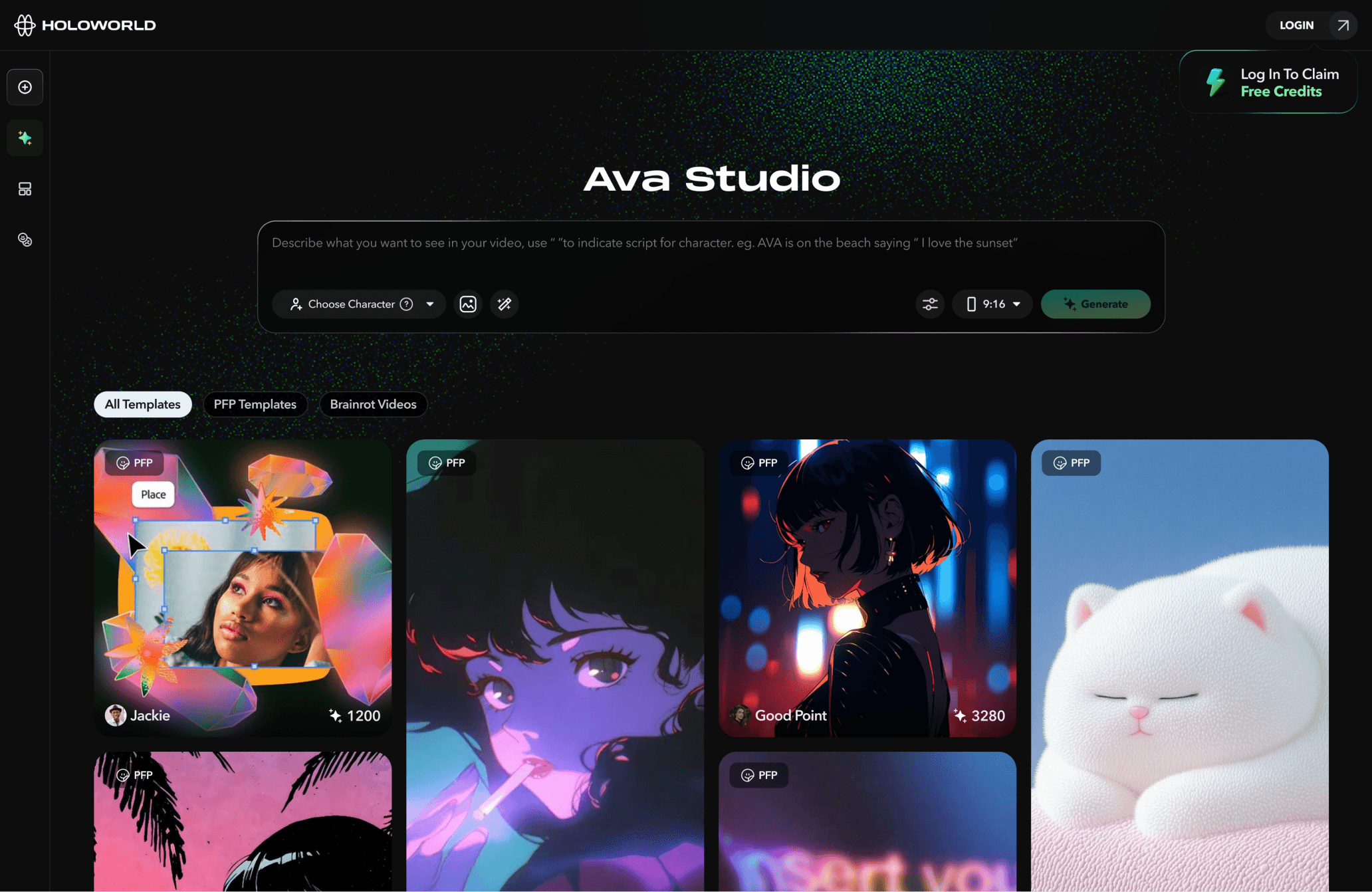
V1 — Prompt-Based Video Creation Homepage
In the first version, users were greeted by a large prompt box as the main entry point. They could directly enter a video generation prompt to create a video. At this stage, Ava Studio functioned more like a general video creation tool: users generated a video, moved into the editor for further adjustments, and then exported the final result.
V2 — Studio-Oriented Creation Homepage
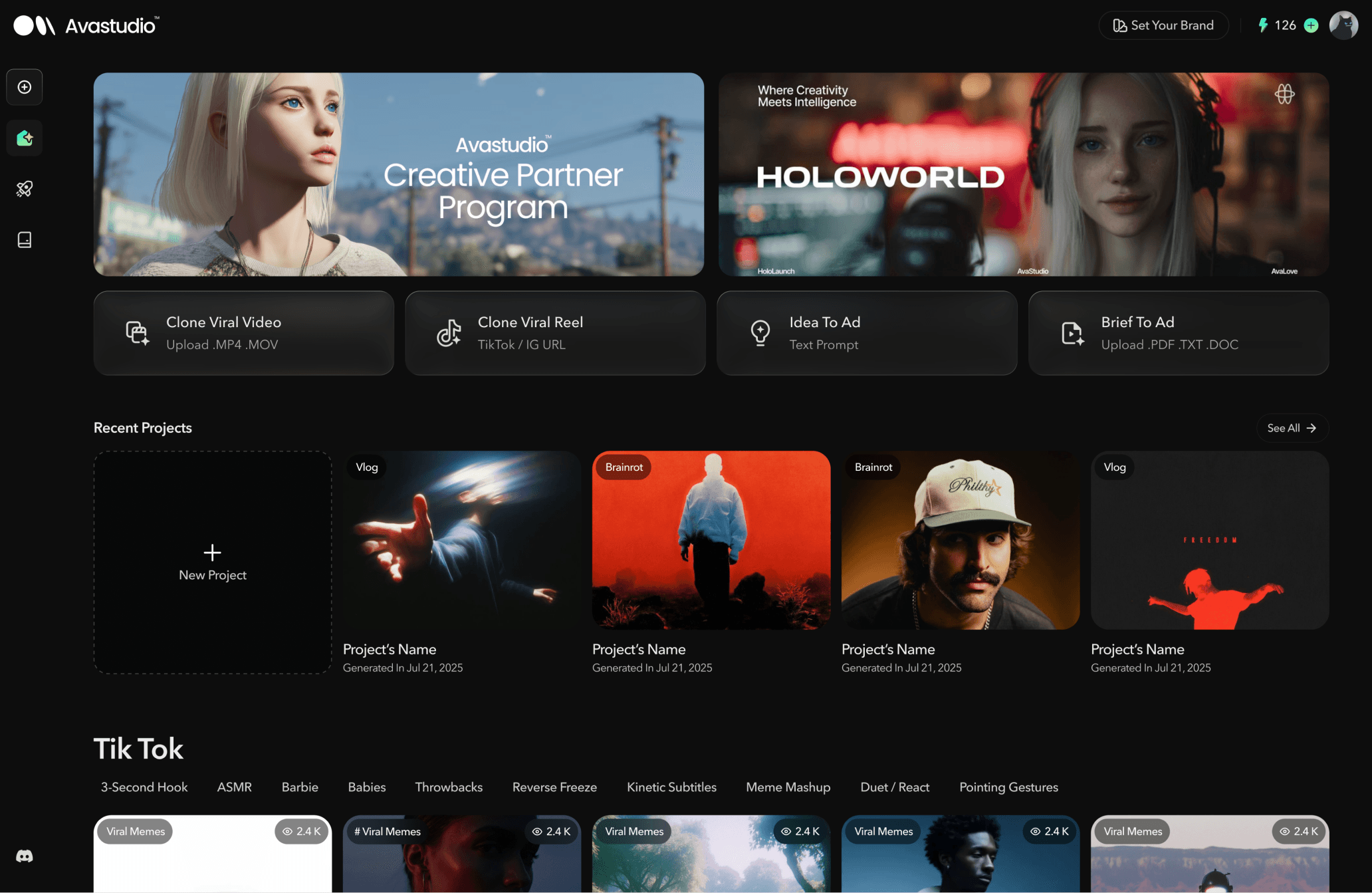
In the second version, we introduced the concept of “Studio” alongside the existing editor. Instead of relying on one large prompt box on the homepage, users could start their creation process through more specific entry points based on different needs.
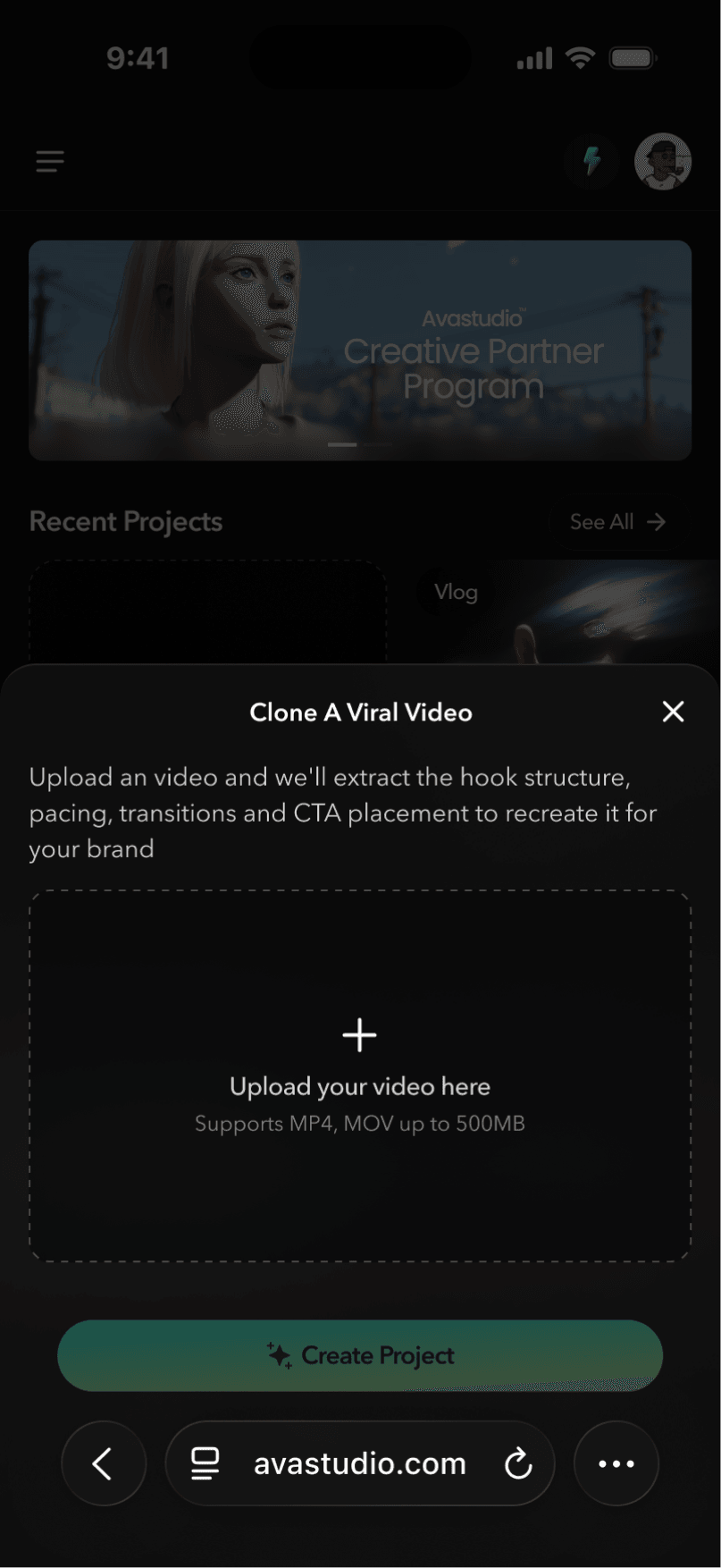
For example, when users selected “Clone Viral Video,” they would upload a reference video. The agent inside Studio would then analyze the uploaded file, break it down into different scenes, and help recreate the video structure.
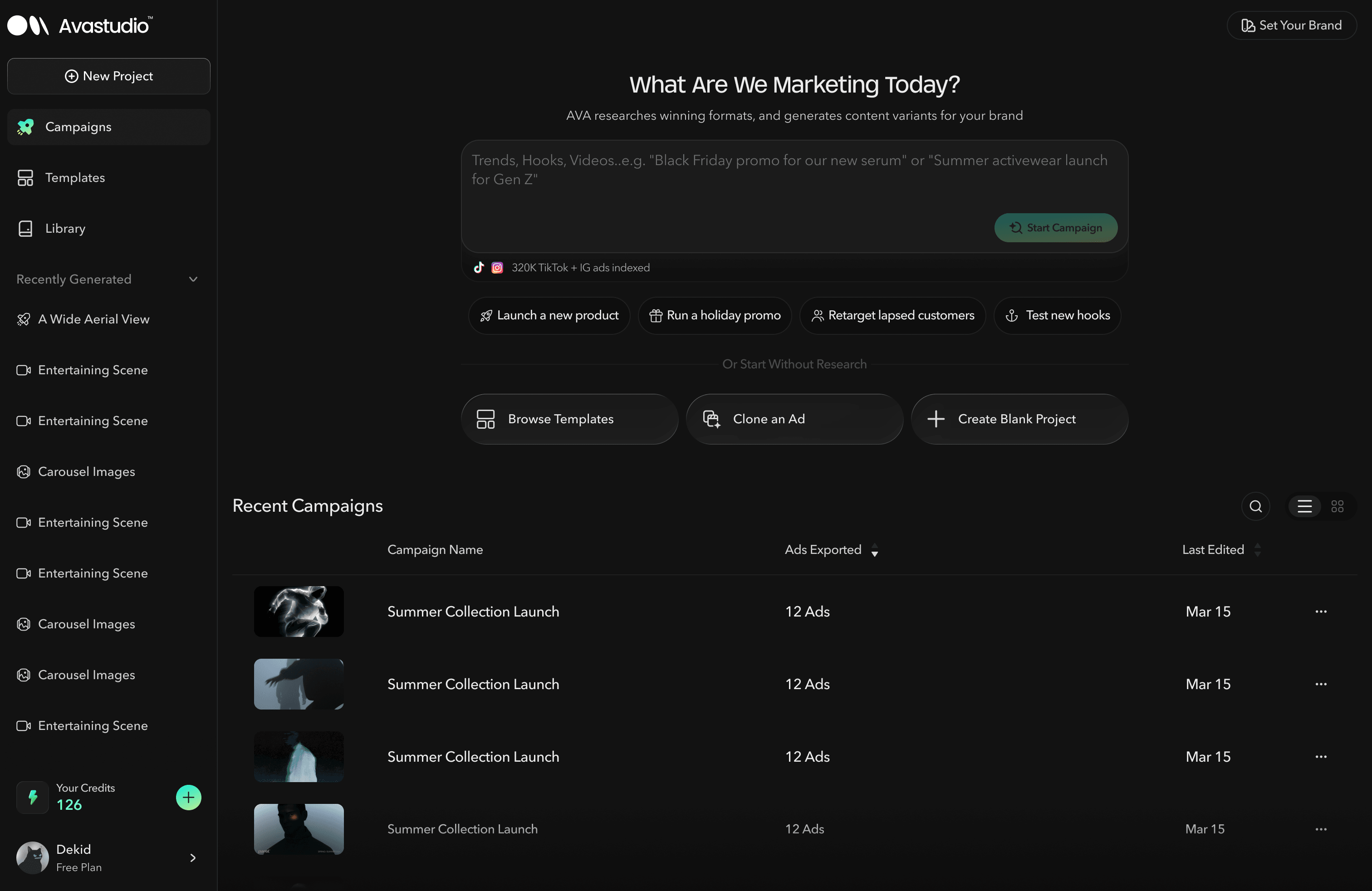
V3 — Campaign-Driven Marketing Homepage
In the third version, we introduced the concept of “Campaign.” At this stage, the product shifted away from serving general video creators and became more focused on marketing-related creative teams.
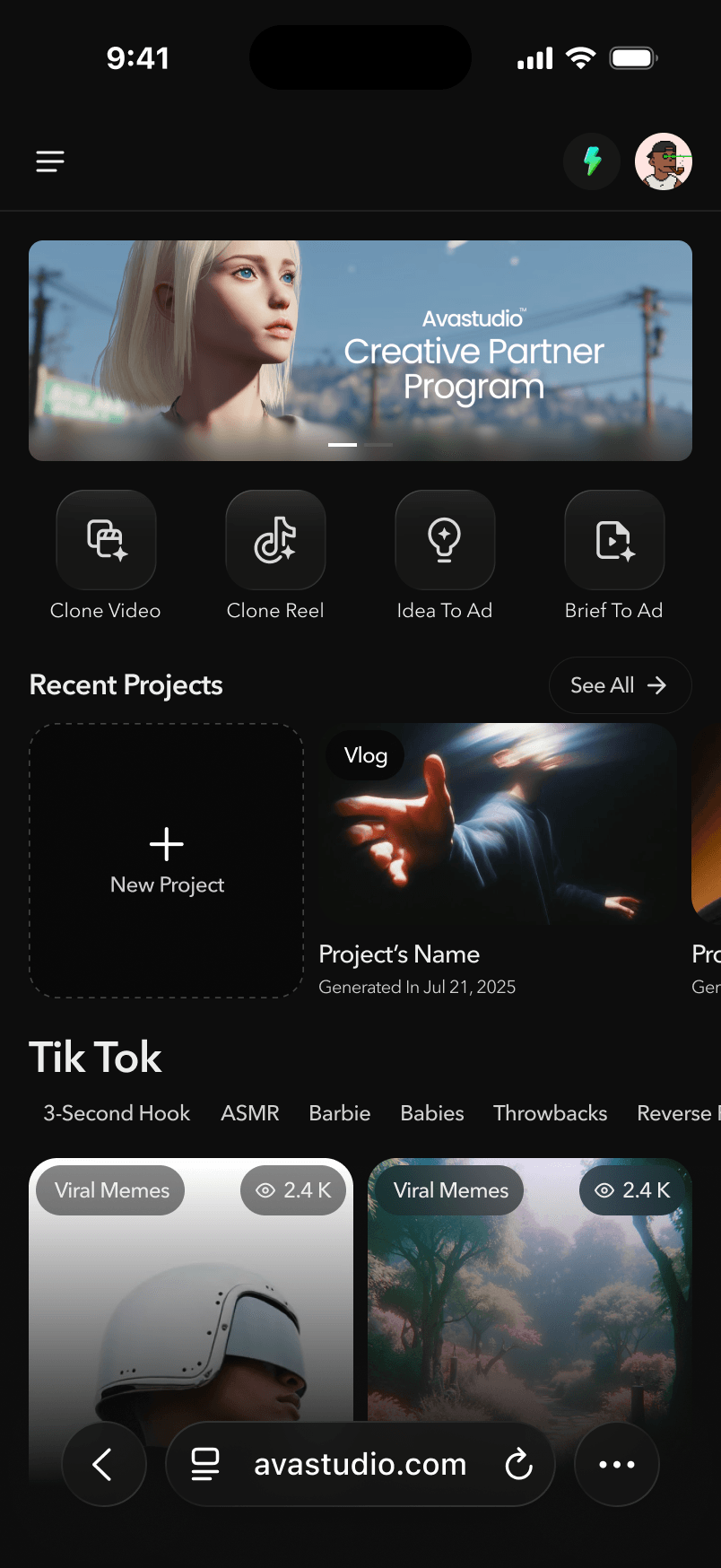
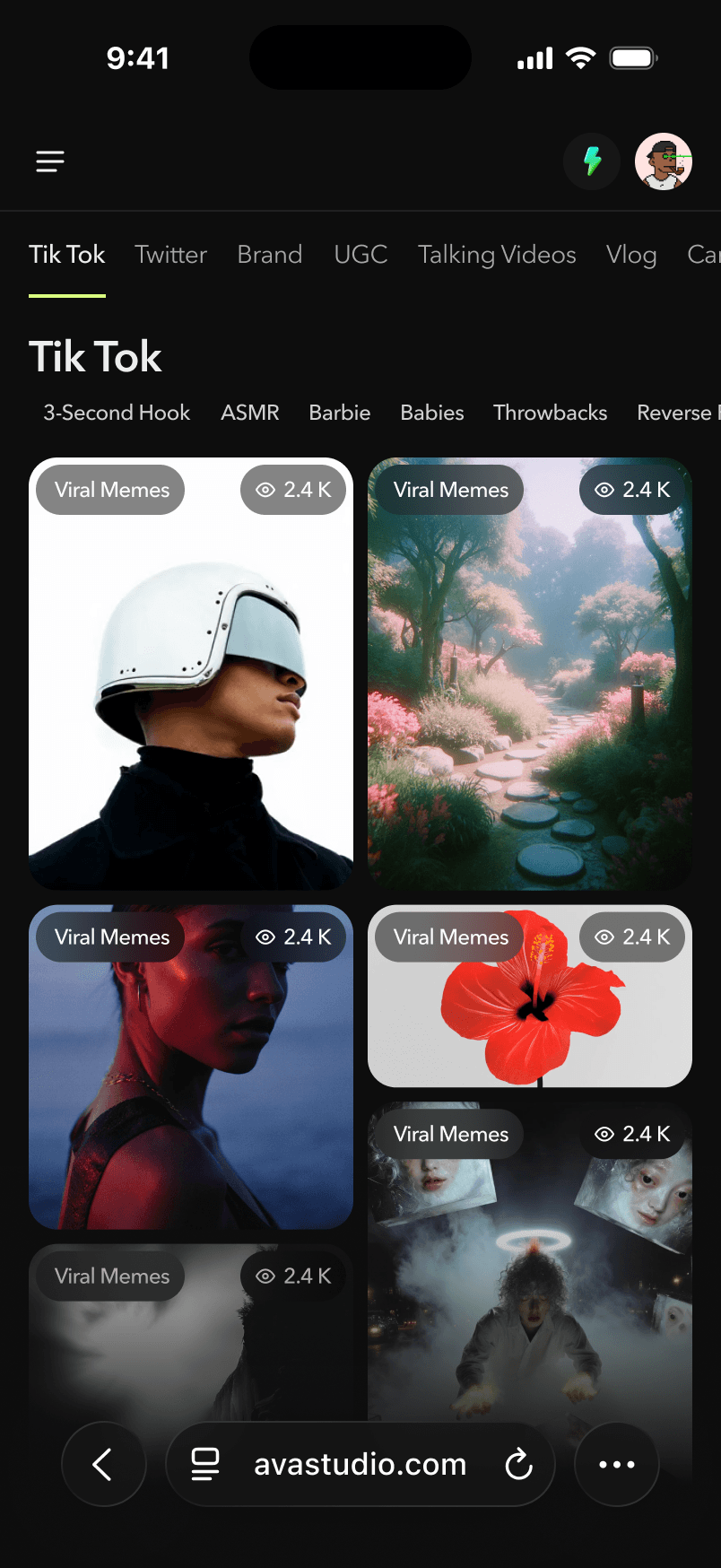
The homepage was redesigned around campaign workflows, helping users quickly launch different types of campaigns, validate creative directions through research, discover high-performing templates, and clone successful short-form social media videos for both organic content and paid ads.
2.Onboarding
During the second major product iteration, we introduced an onboarding flow to help first-time users reach the product’s aha moment faster.
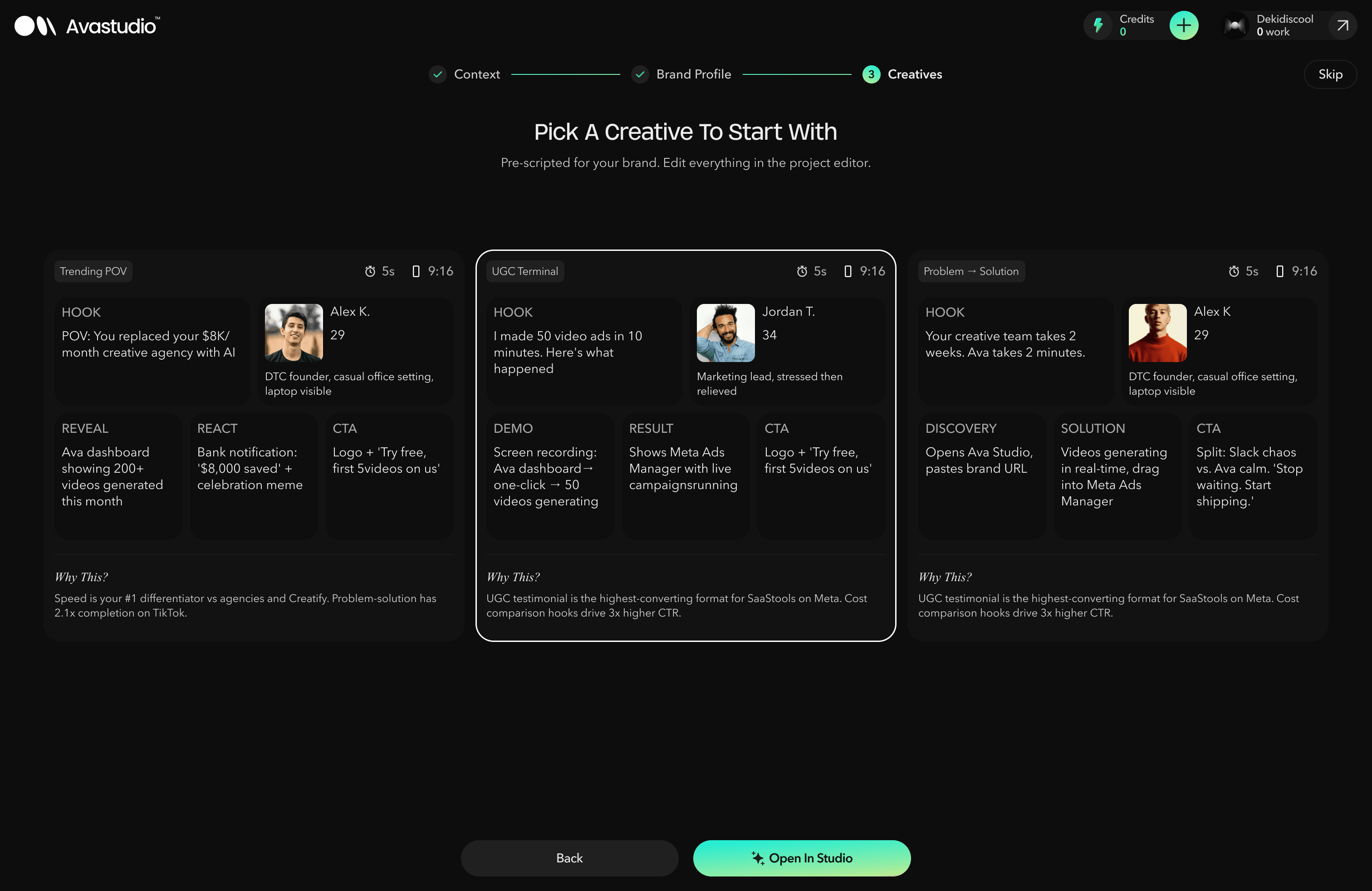
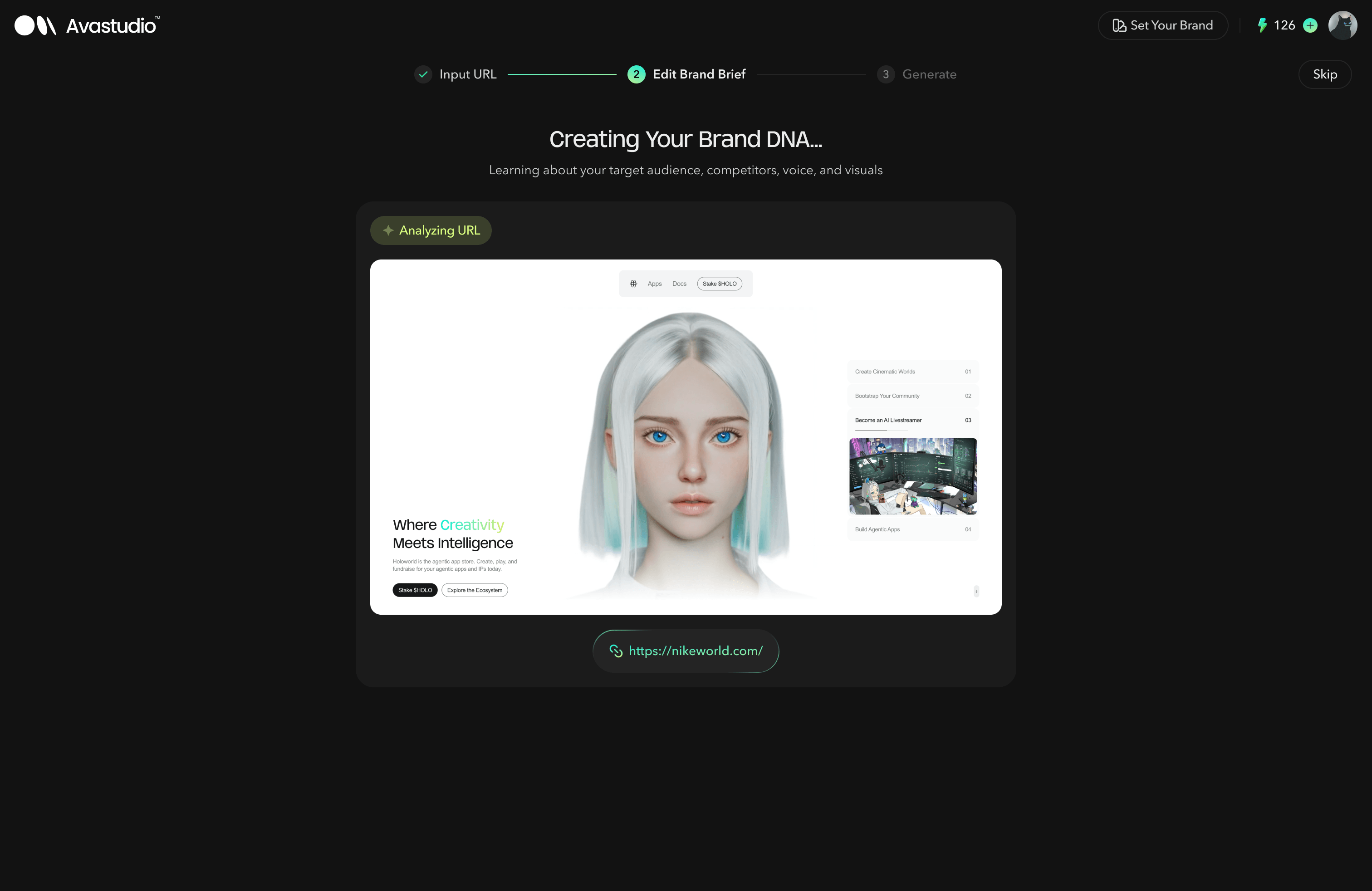
The goal was to allow users to drop their website or brand materials into Ava Studio, automatically generate a brand profile and creative directions, and quickly move into video creation.
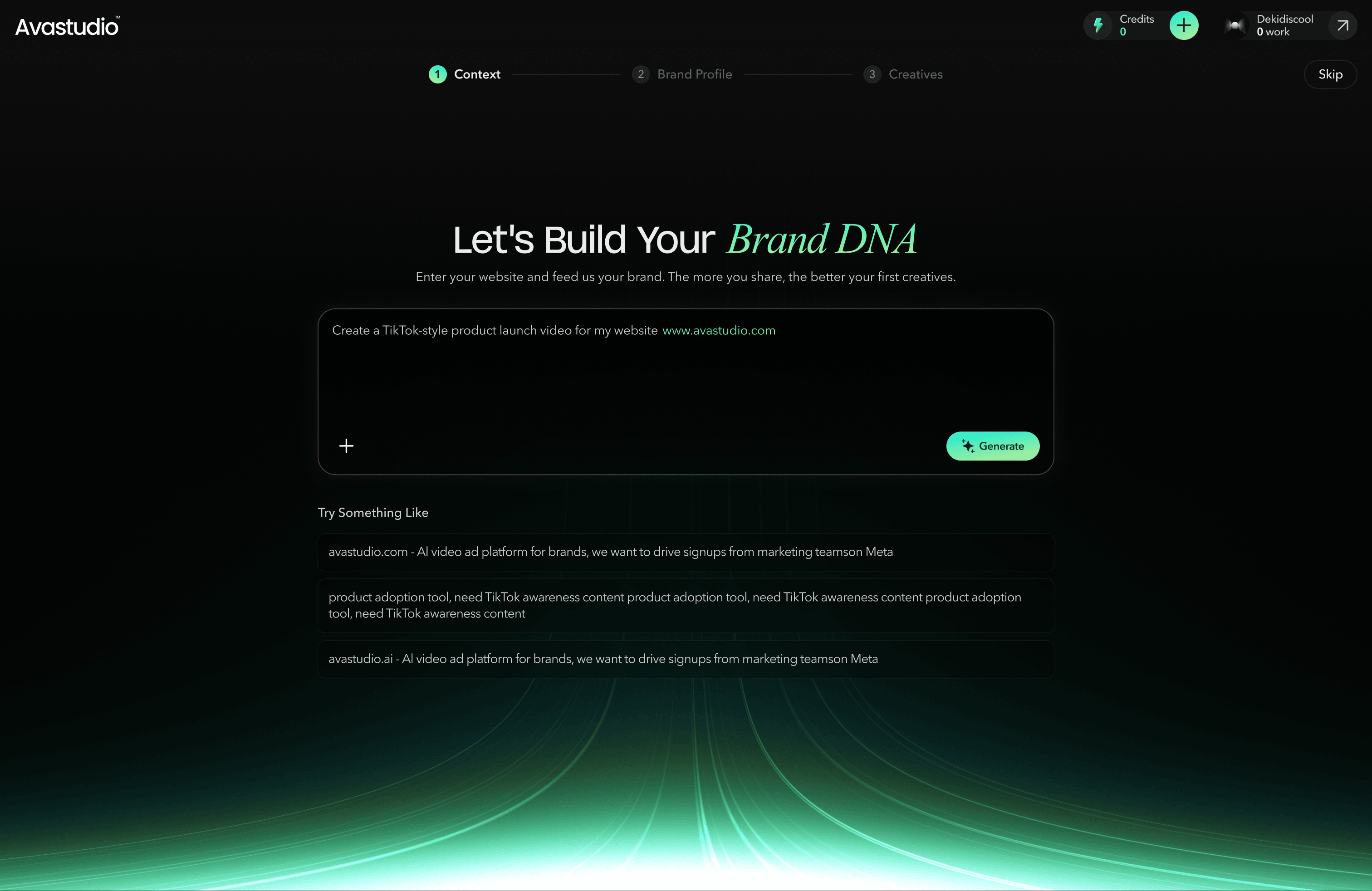
V1 — Brand Profile Extraction Onboarding
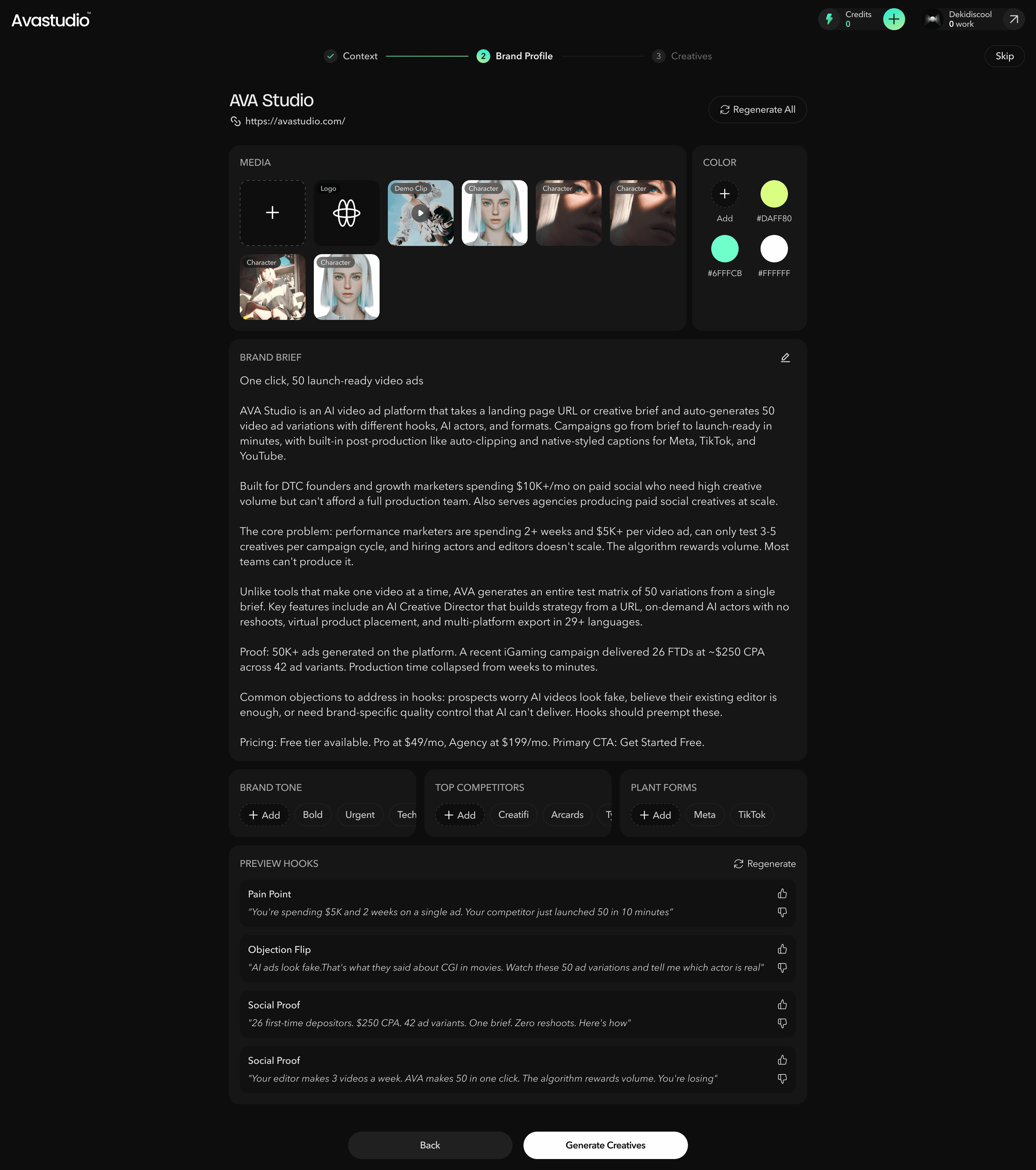
In the first version, the onboarding flow focused on extracting information from the website or materials provided by the user. Ava Studio would generate a brand profile, and users were asked to review, confirm, and edit the Brand DNA before receiving text-based creative ideation.
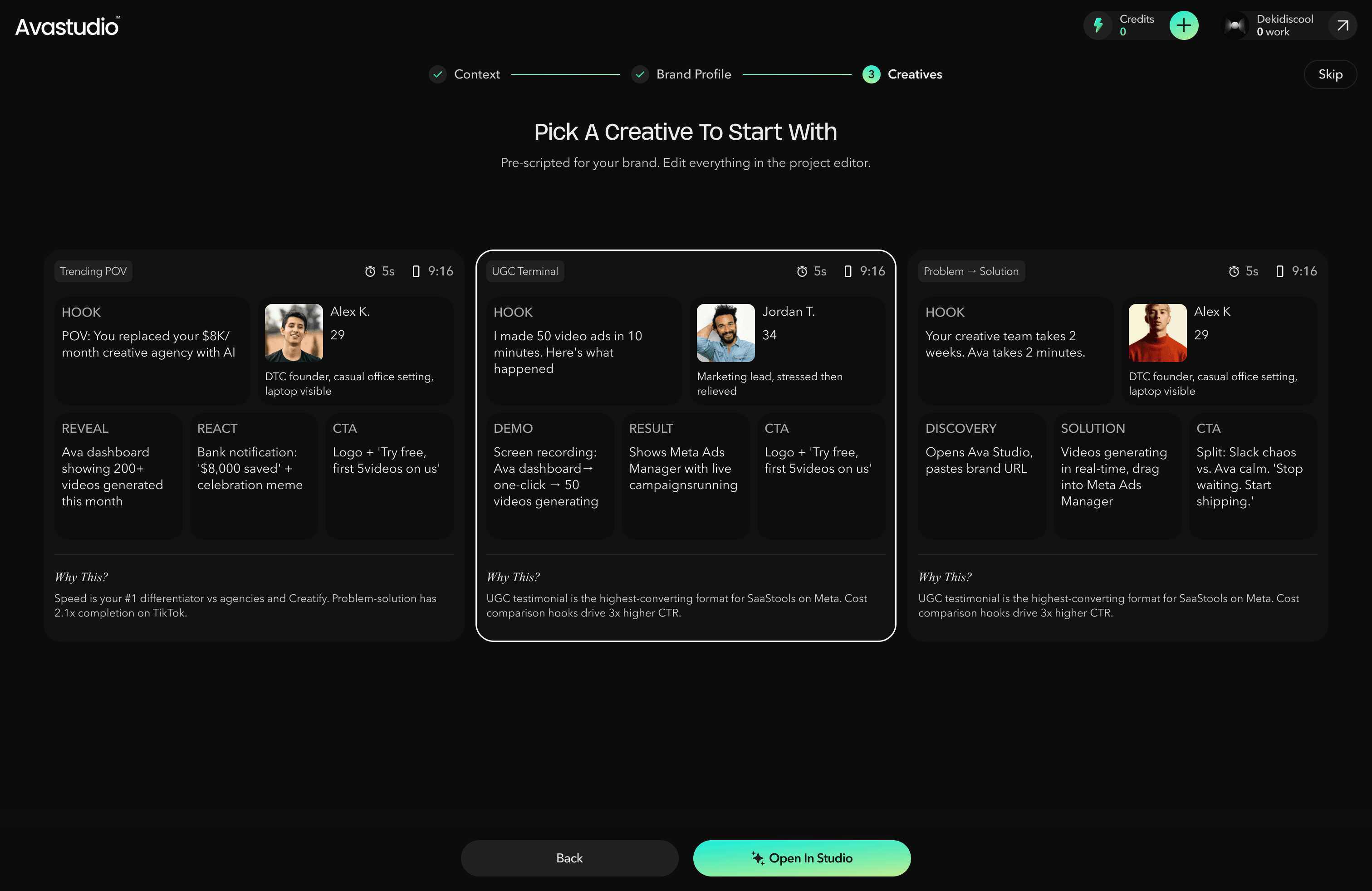
After that, users needed to enter Studio to further generate and edit their videos. This flow helped users build a structured brand foundation, but the output was still mostly text-based, which made the value of the product less immediately visible.
V2 — Template-First Onboarding
After testing the first version, we found that users had difficulty understanding the final video outcome from text-based ideation alone. Since they could not immediately see what the generated creative would look like, the onboarding experience felt less engaging, and we observed a higher drop-off rate at this stage.
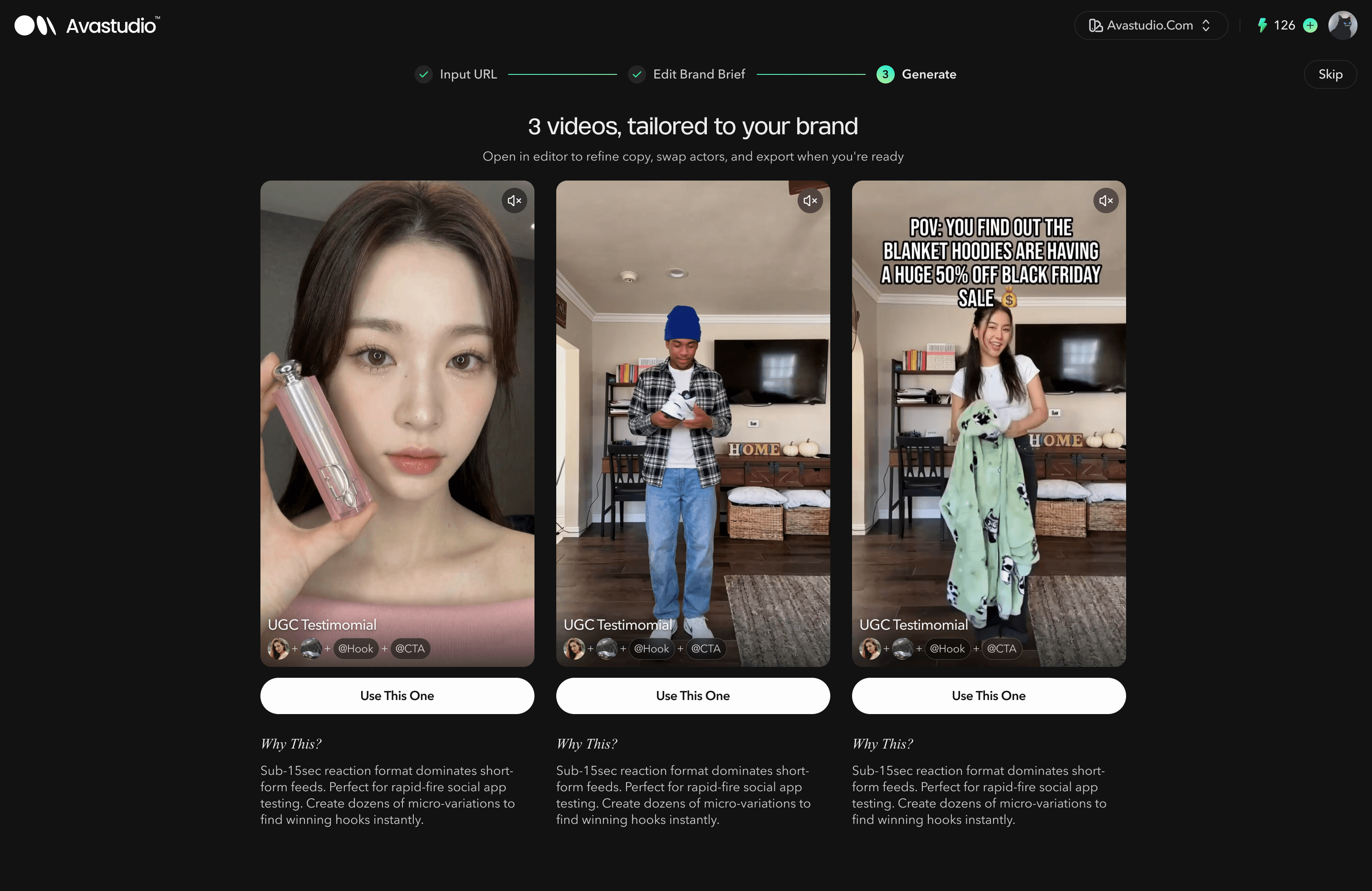
In the second version, we redesigned the flow to bring the aha moment forward. Instead of asking users to edit the brand profile first, Ava Studio directly analyzed the website or uploaded materials and recommended video templates that matched the user’s brand and marketing needs.
Users could then select a template and enter the editor directly, where they could quickly swap the cast, text, and other key elements. This made the experience more visual, more actionable, and easier to understand, helping users see the product’s value much earlier in the journey.
Overall, the onboarding evolved from a brand setup flow into a result-driven creation flow. By reducing upfront configuration and showing users tangible video templates earlier, we shortened the path to value and improved the likelihood of users continuing into the editing experience.
3.Studio
Studio was introduced during the second major product iteration. Since then, it has gone through two layout improvements, the introduction of agents, and, in the latest version, a new structure that separates the generation experience into two modes: Feed View and Node Editor.
V1 — Scene-Based Studio Workspace
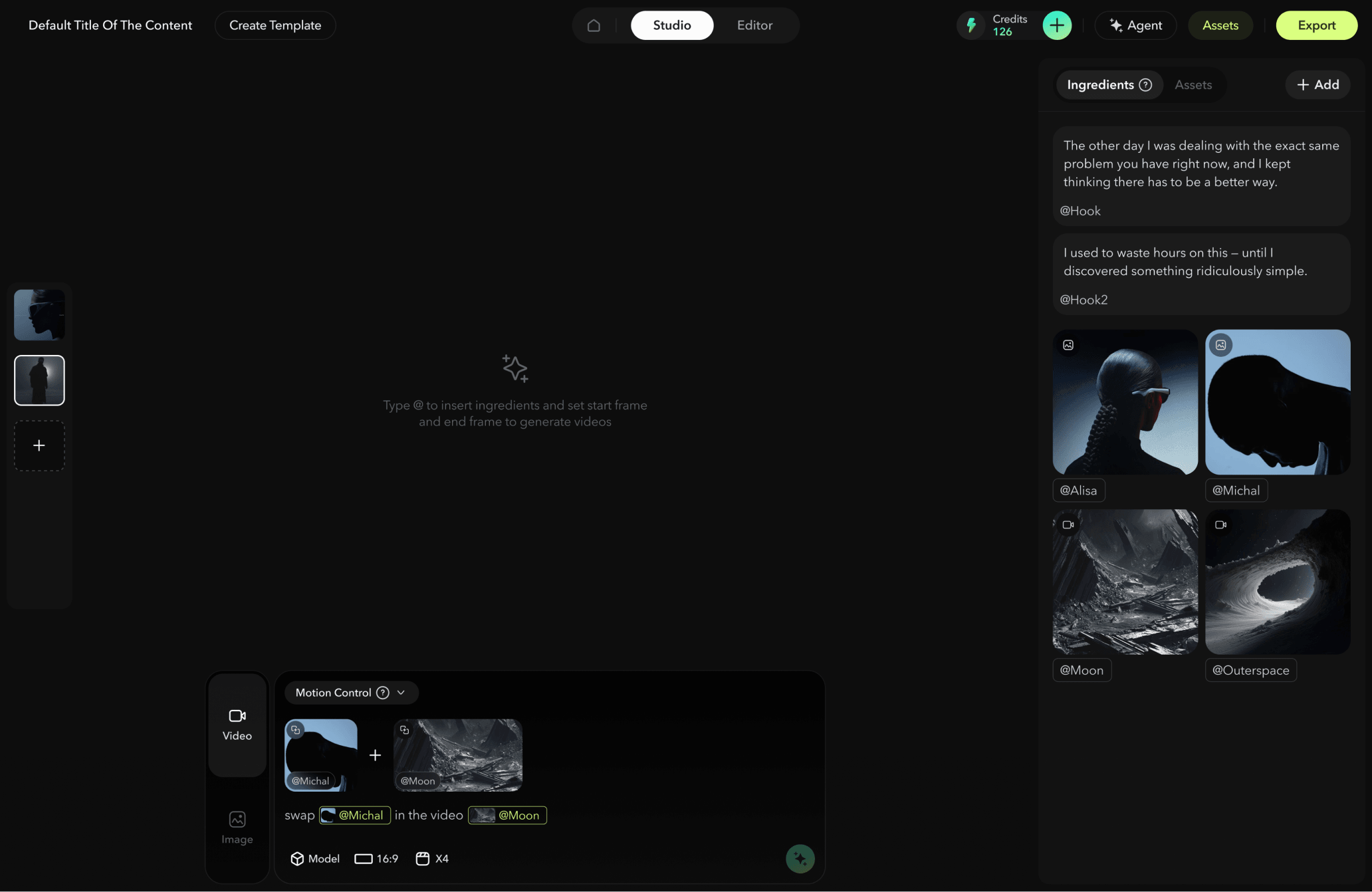
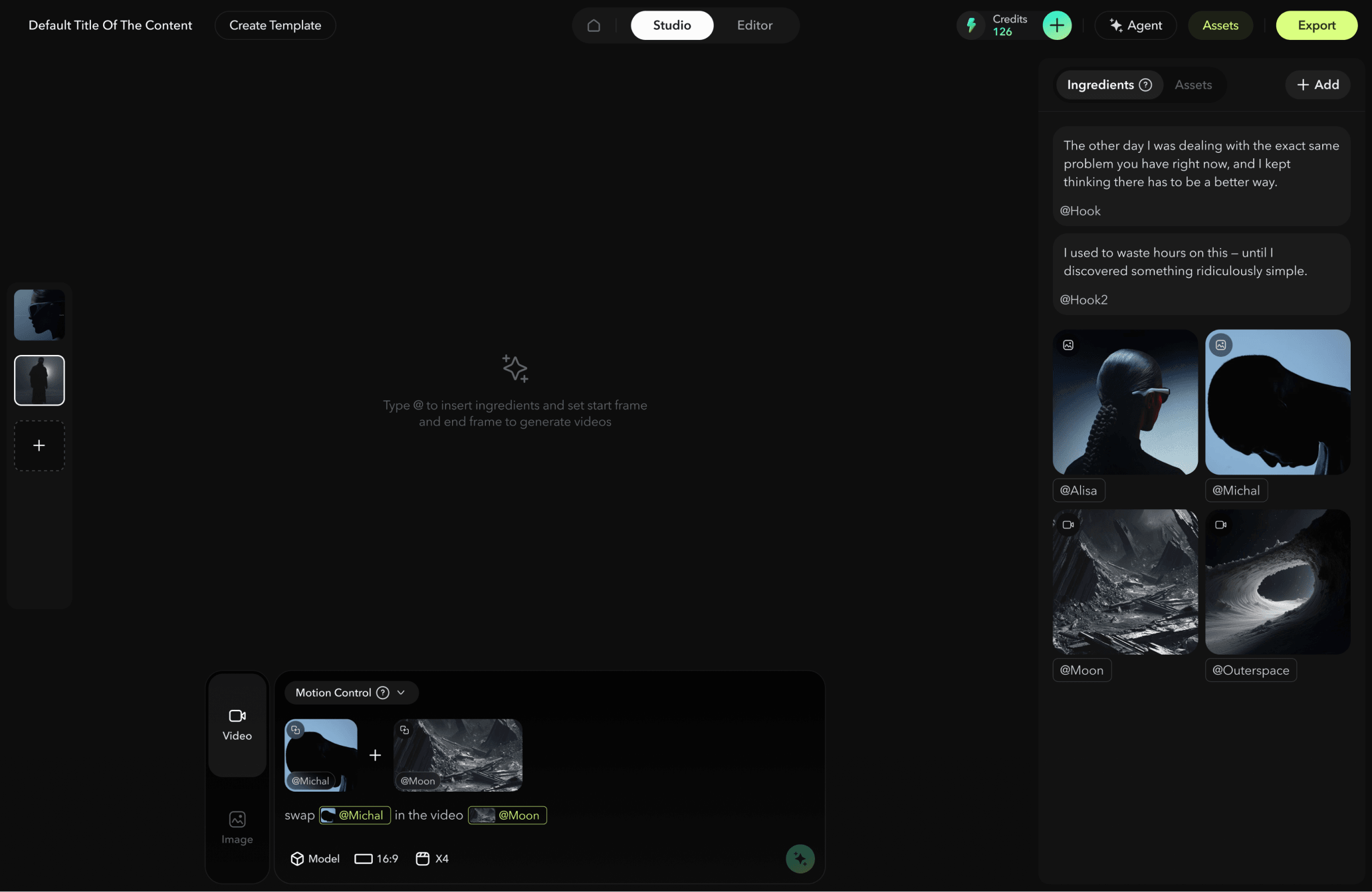
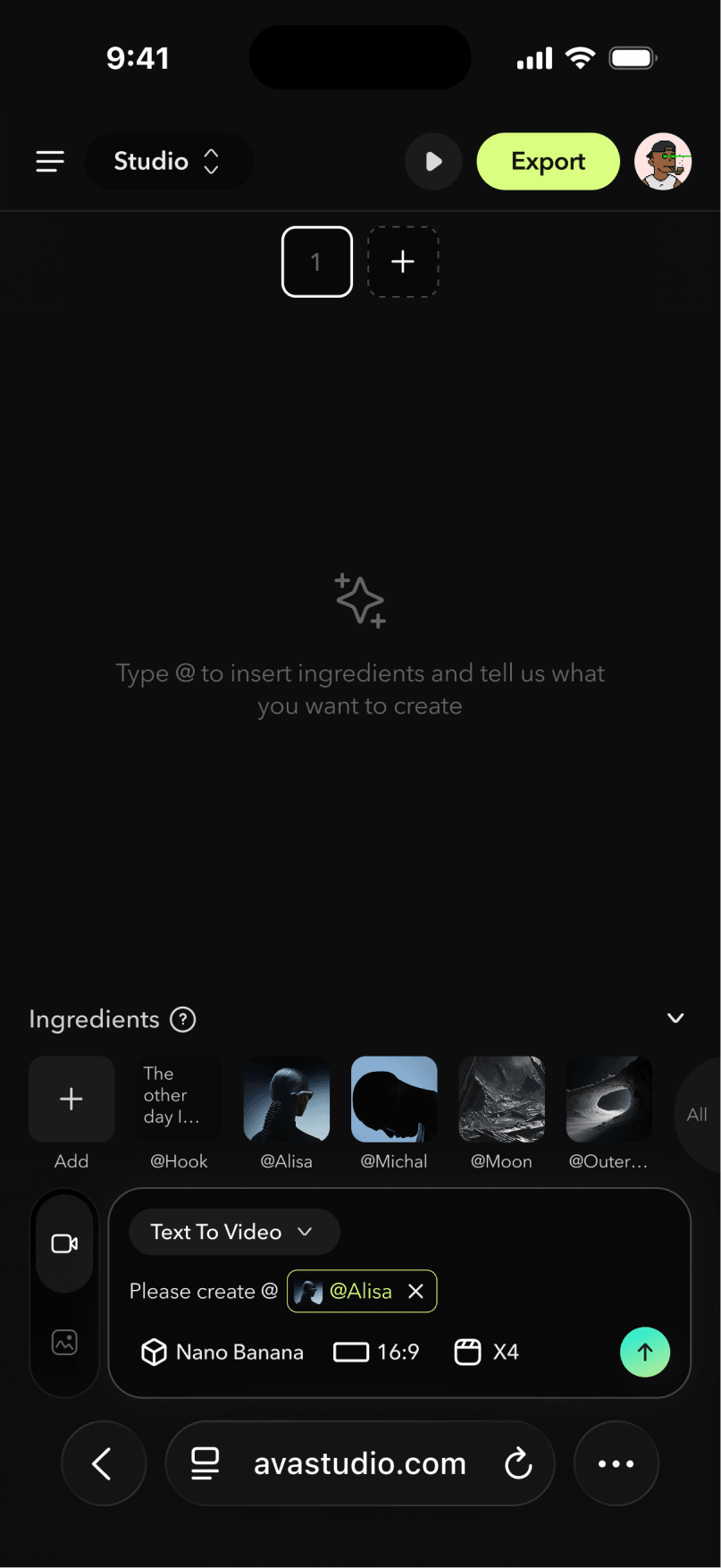
In the first version, we introduced the Studio workflow, along with the concepts of “@ingredients” and “scenes.”
Inside Studio, users could add scenes from the left-side scene thumbnail panel. Each scene worked as an independent generation space. When users were satisfied with a generated video or image, they could set it as the final scene. Only the selected final scenes would appear in the Editor for further editing and export.
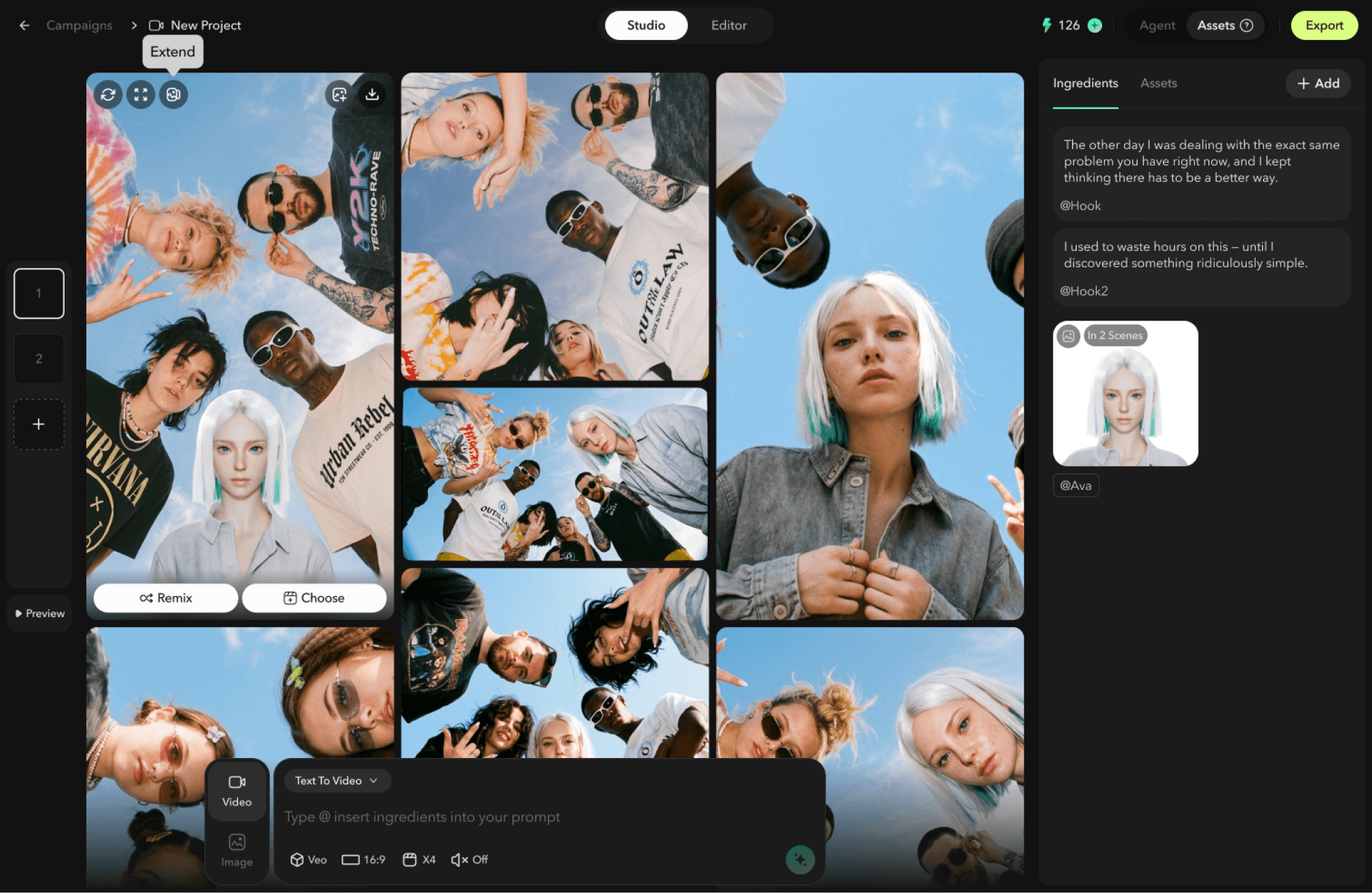
Within the Studio workspace, users could add assets as ingredients and directly reference them in the central prompt box through @mentions during video generation.
At this stage, the Feed View was organized around prompt requests. Each prompt was strongly connected to its corresponding generations, making it easy for users to understand which prompt produced which results. The benefit of this structure was clarity: users could clearly see the relationship between each prompt and its generated outputs. However, the downside was that when a prompt only produced one generation, the prompt-generation group still took up a large amount of workspace, making the overall layout less space-efficient.
V2 — Agent-Assisted Studio Workspace
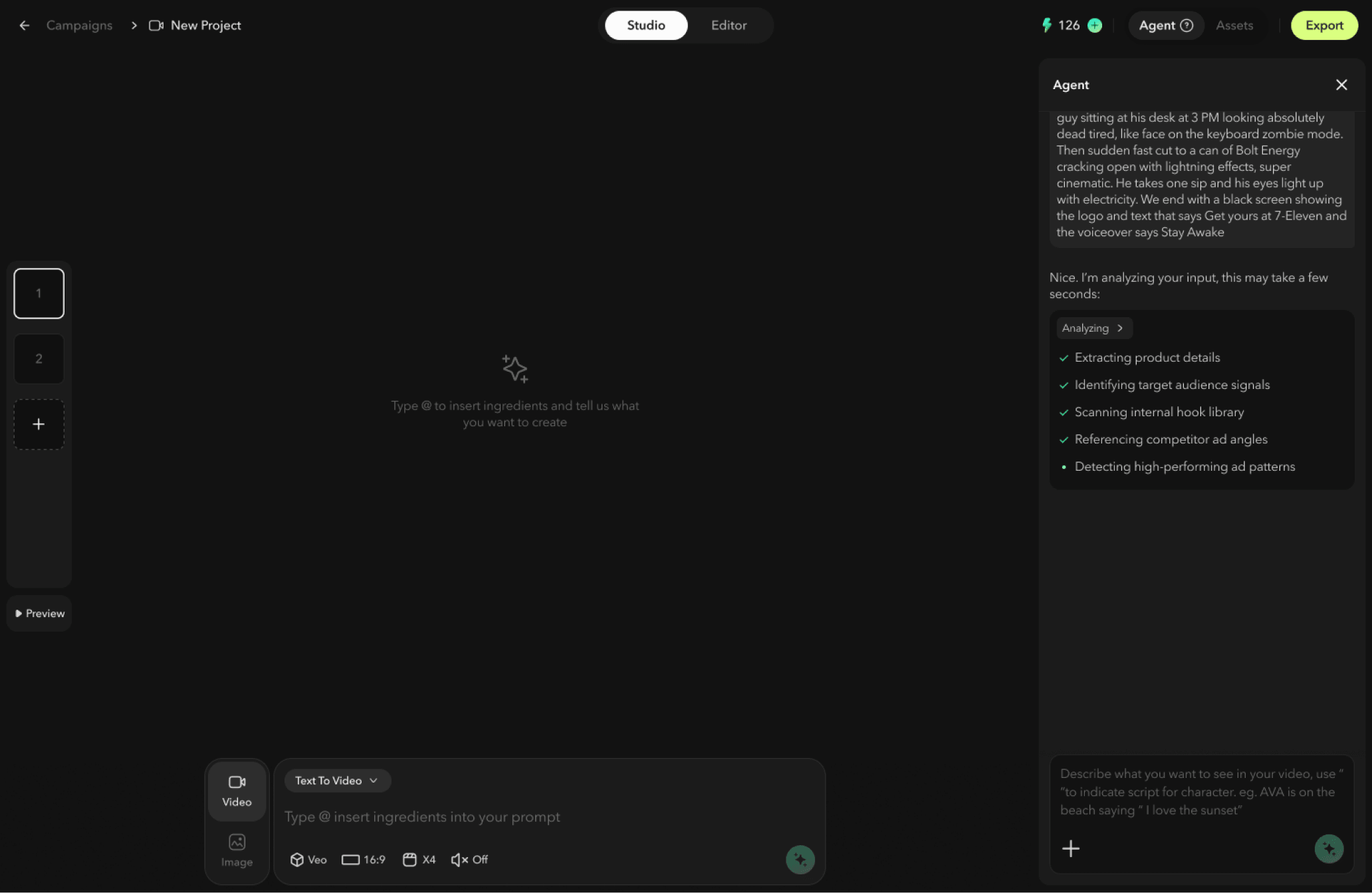
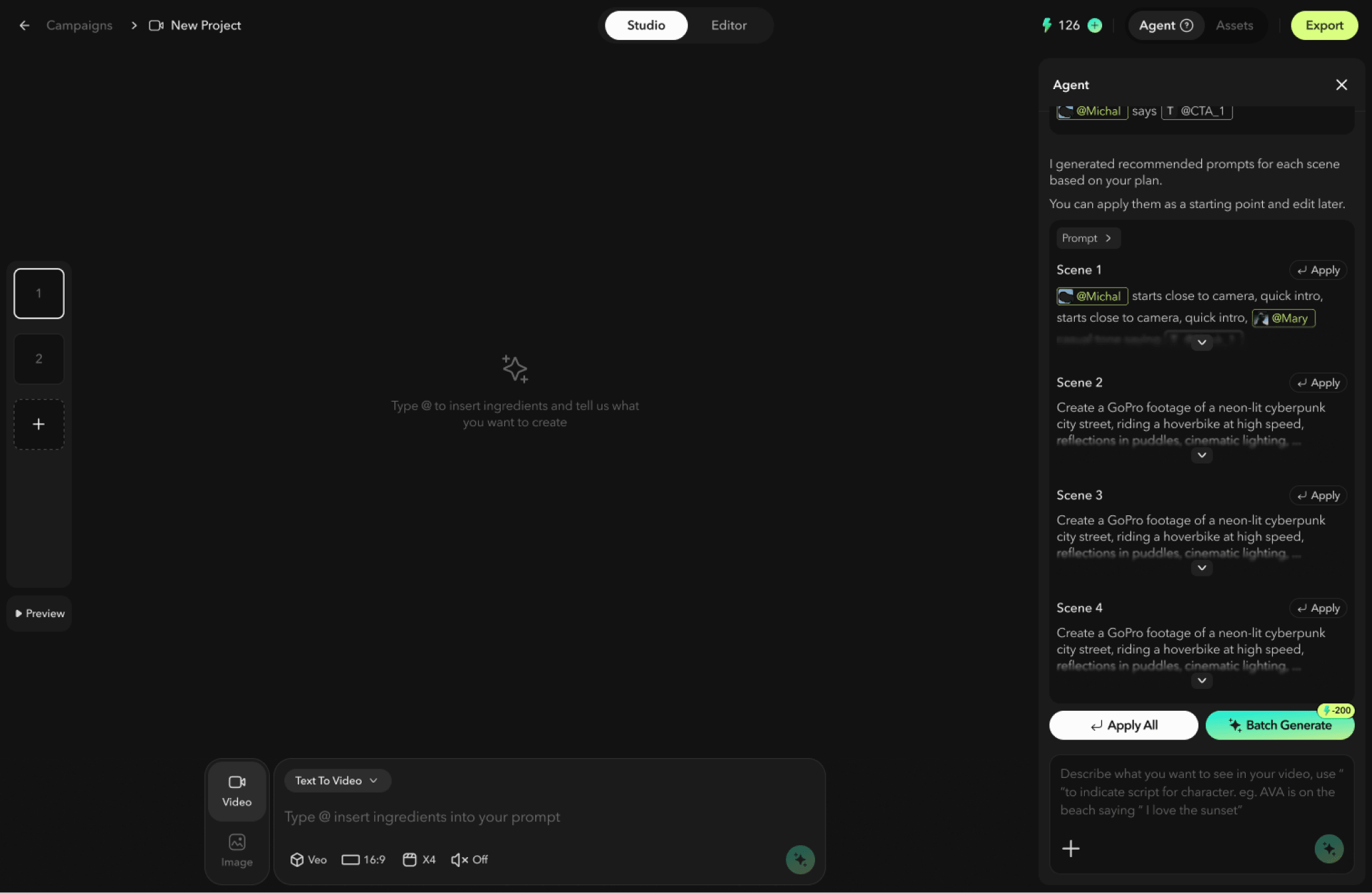
In the second version, we introduced agents into Studio. Based on the user’s goal, the agent could create a generation plan and automatically write prompts for each scene. Users could then generate videos for all scenes directly through the agent with a single action.
In terms of layout, we moved away from the rigid prompt-generation grouping and adopted a more flexible, responsive layout. This helped save workspace space while allowing users to iterate on content more efficiently.
V3 — Feed & Node-Based Studio Workspace
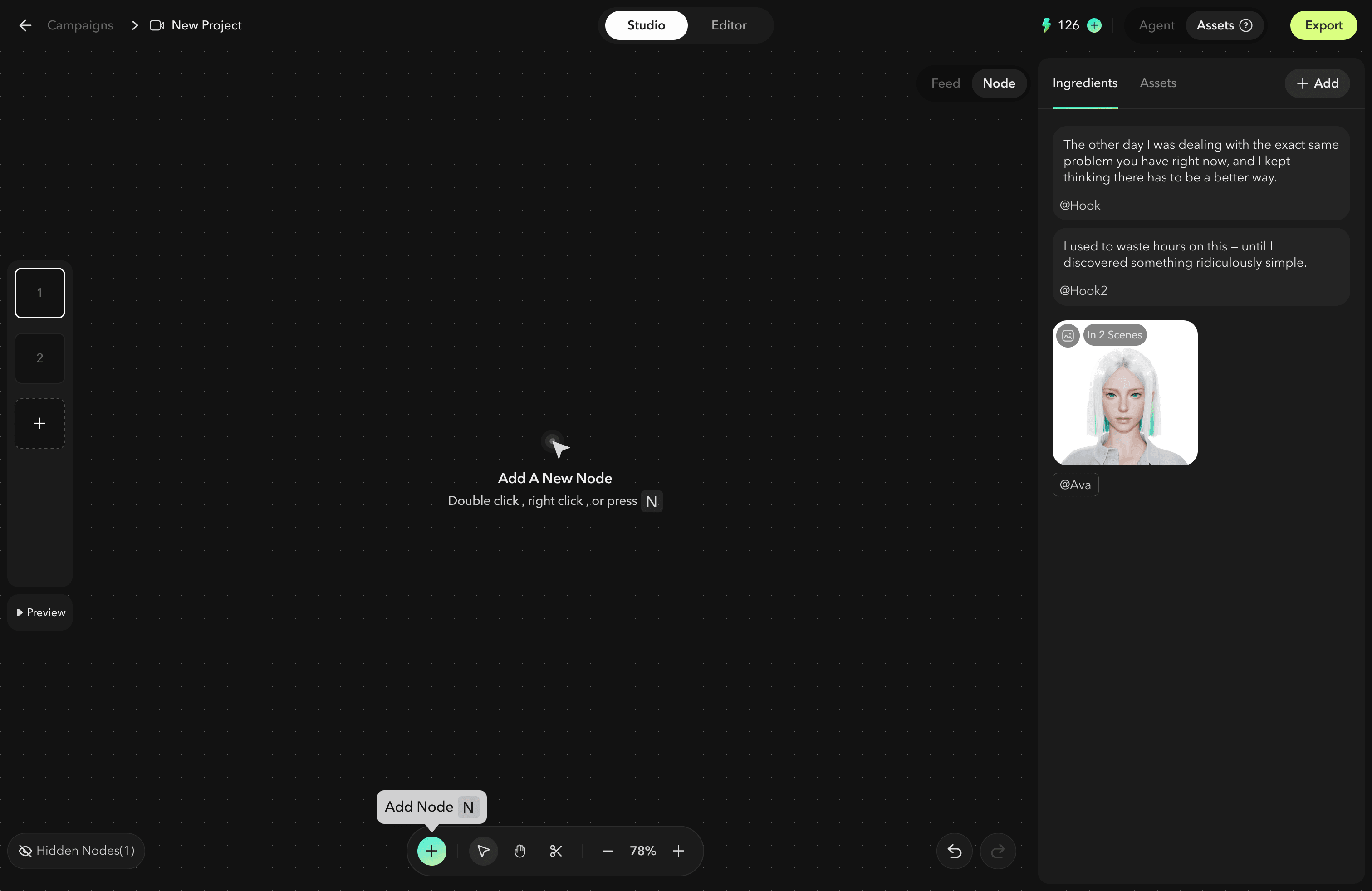
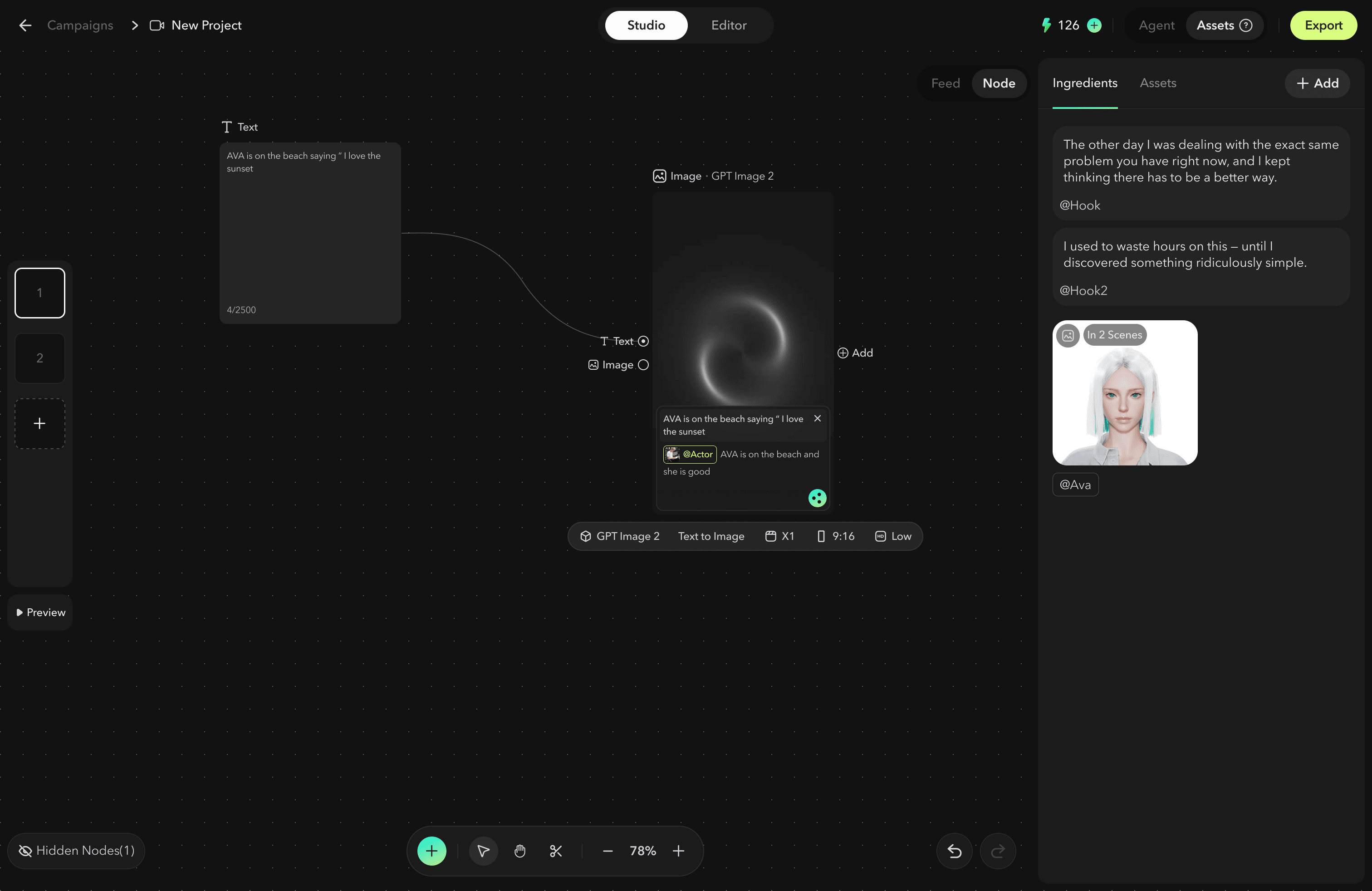
In the latest version, we introduced the Node Editor to make the generation and iteration process more visual and intuitive.
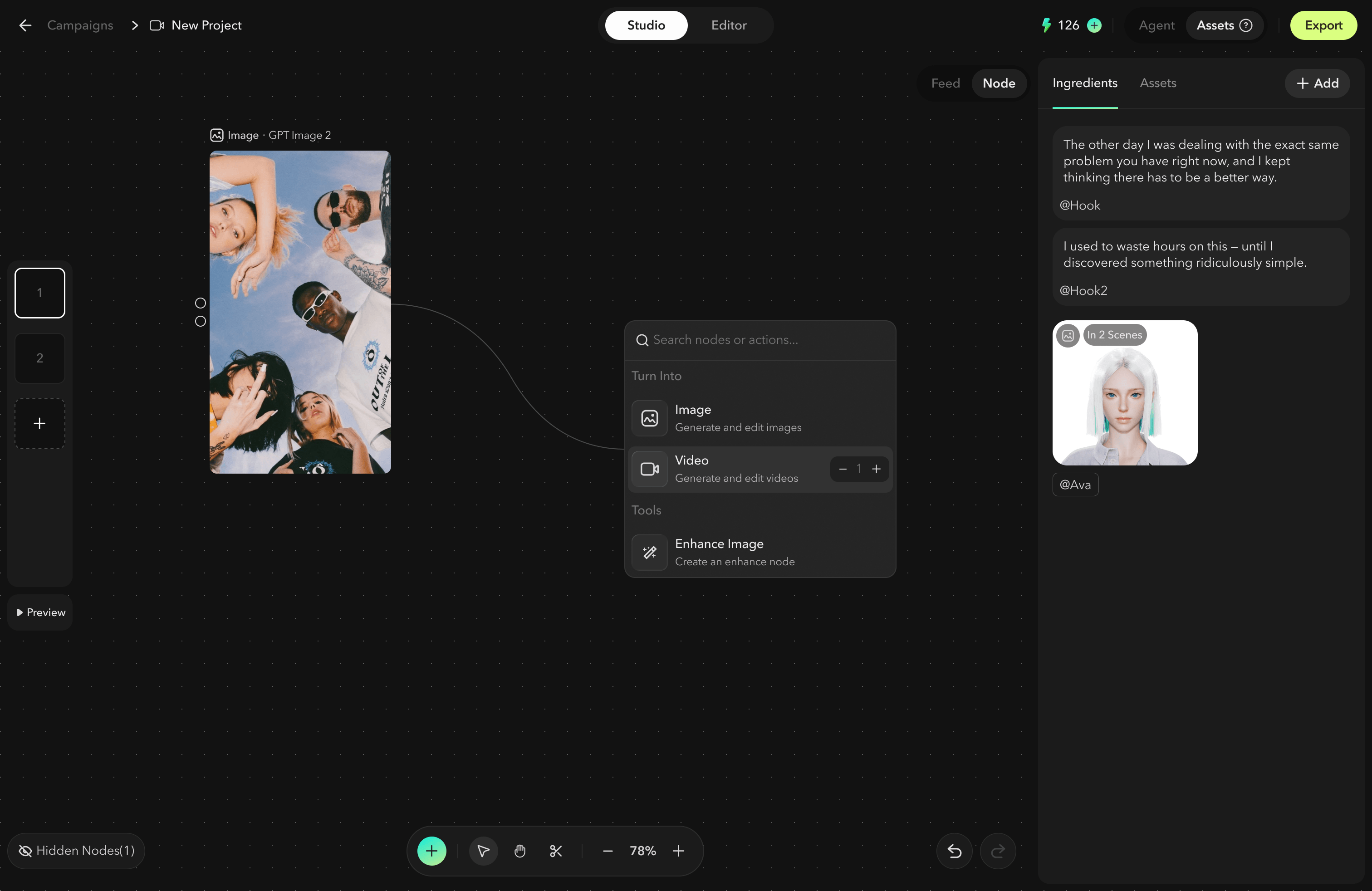
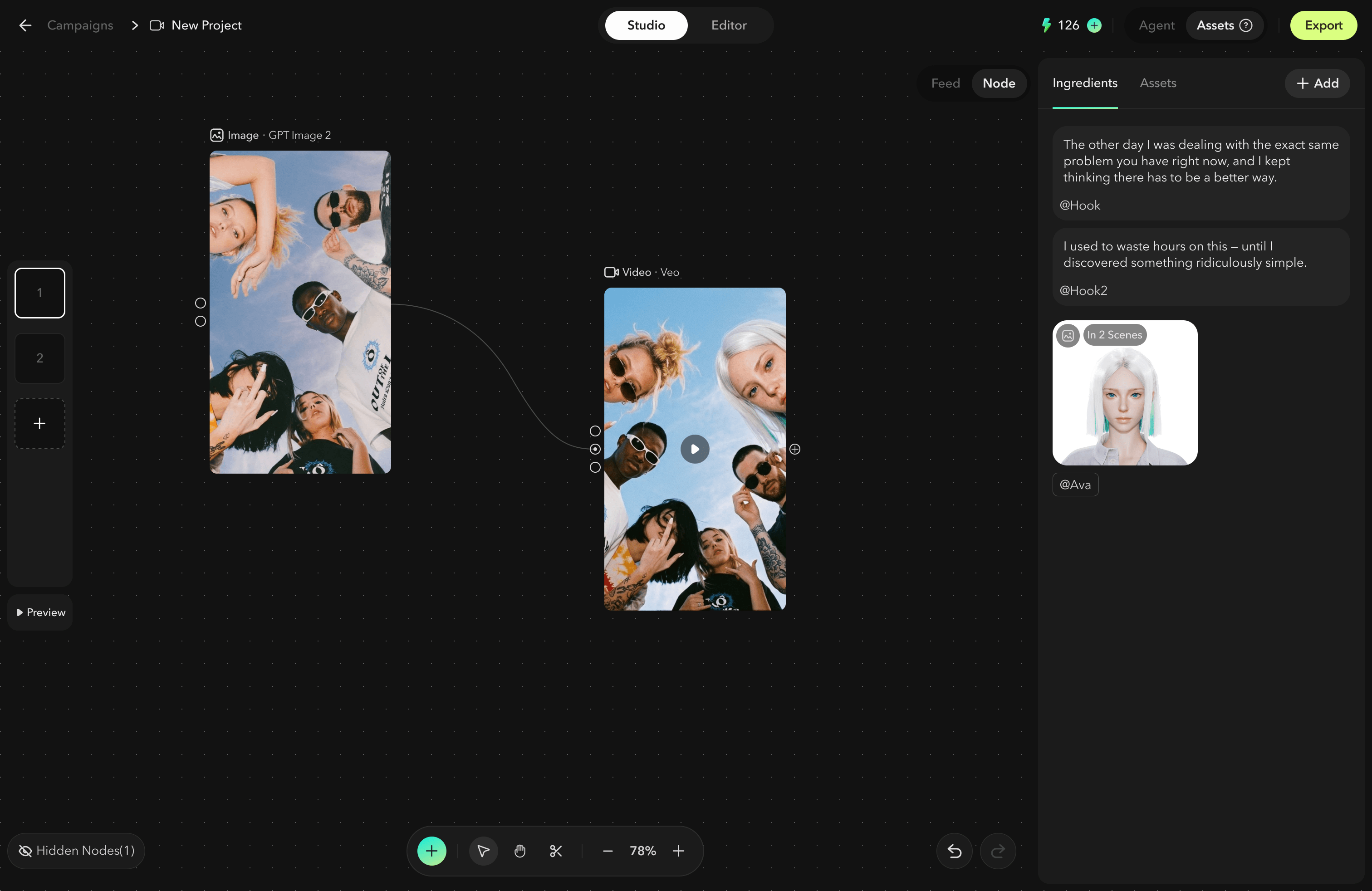
Studio is now divided into two generation modes: the original Feed View and the new Node Editor. In the Node Editor, users can freely drag from ports to create new nodes, making it easier to visualize the full iteration process behind each generation.
If users are not satisfied with a result, they can quickly trace back to the specific node where the issue occurred, adjust the input or prompt, and regenerate from that point. This makes the generation workflow more transparent, controllable, and efficient.
4.Editor
The editor also went through three major iterations as the product positioning evolved.
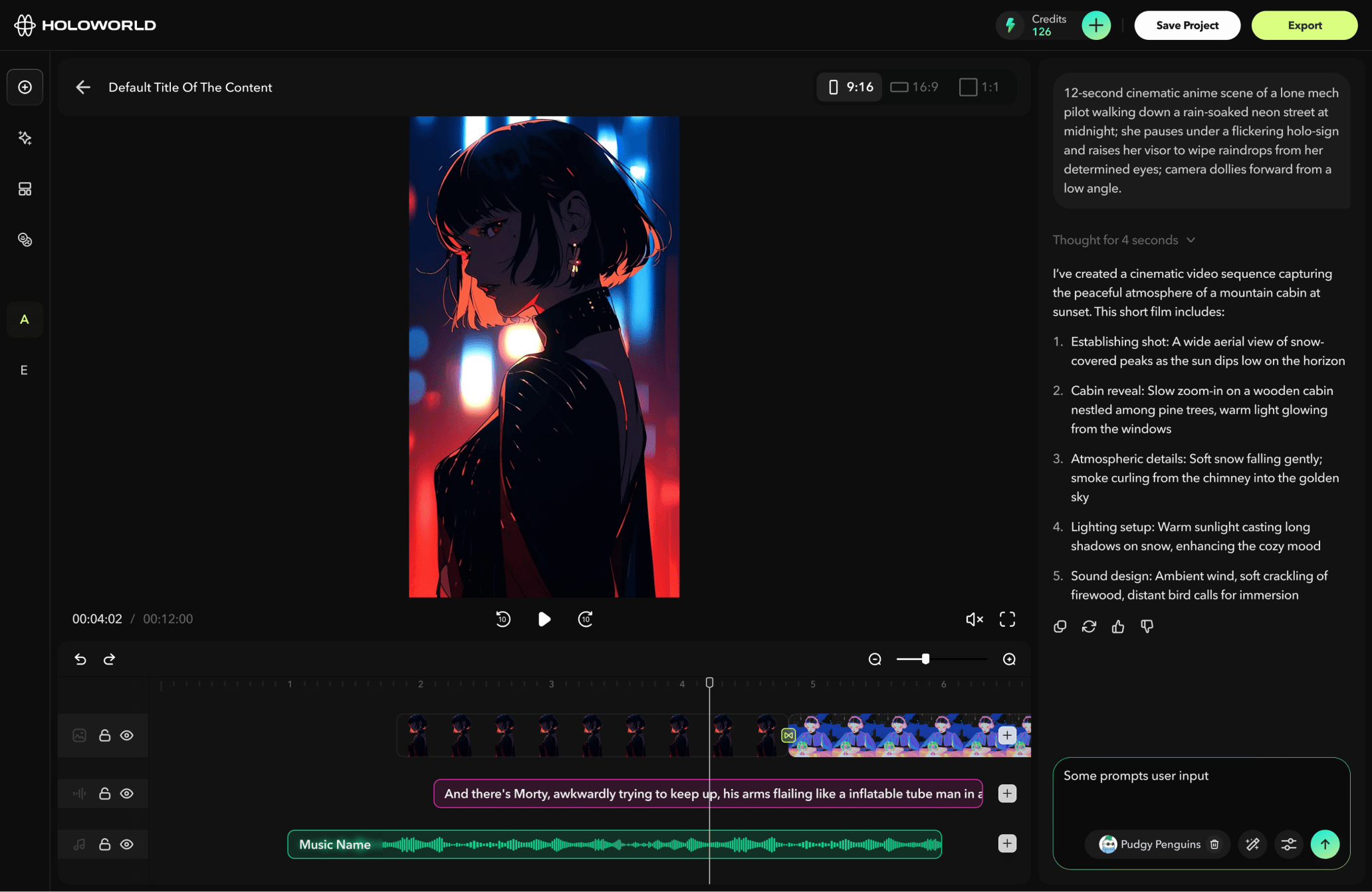
V1 — AI-Assisted Basic Video Editor
In the first version, the editor was designed to support basic video editing needs as well as AI chat-based video generation. Users could select individual clips, regenerate them through chat, and adjust basic settings such as timing, visuals, and other clip-level properties.
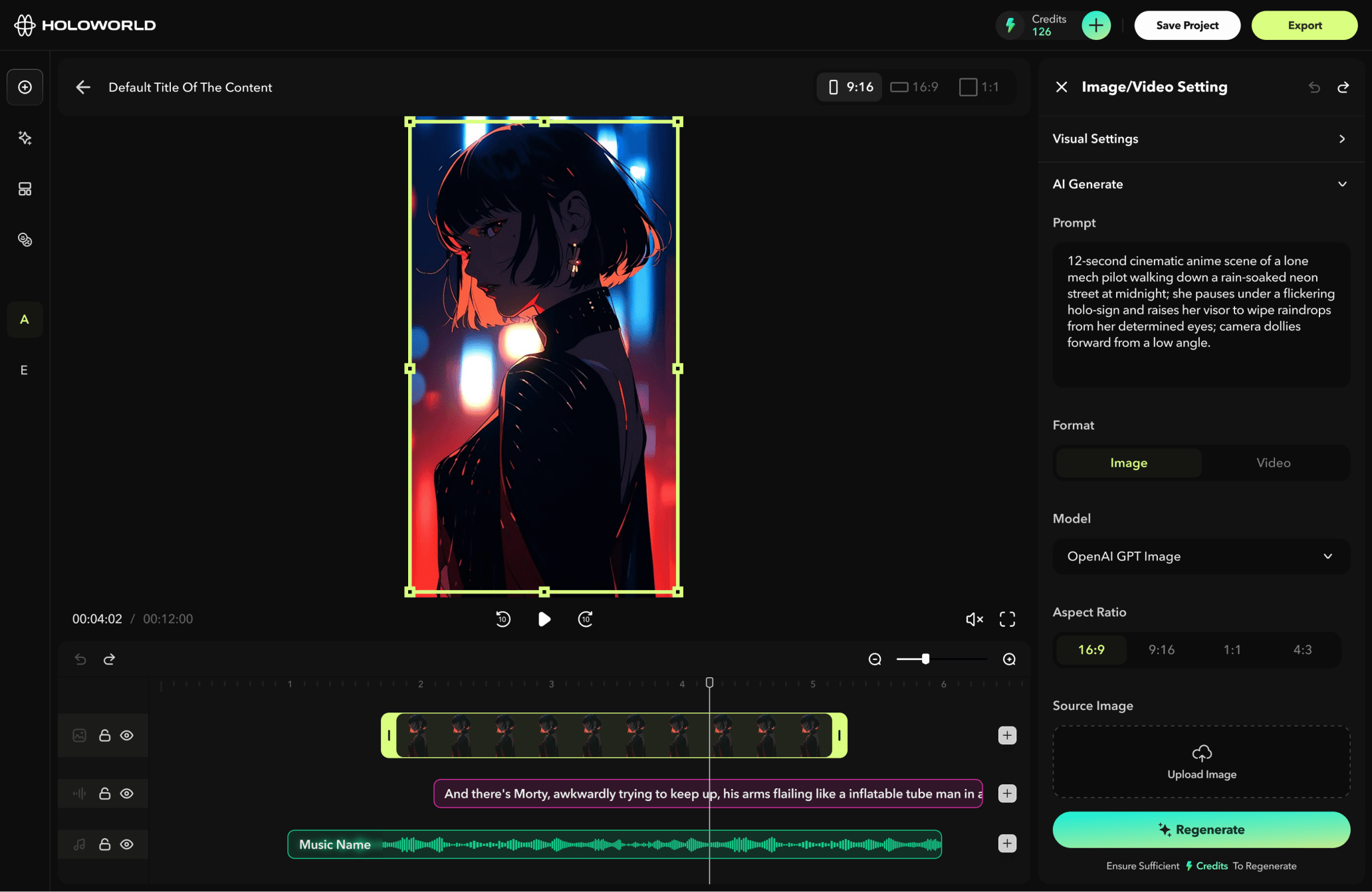
V2 — Asset-Based Video Editor
In the second version, we introduced the concept of “Assets” while keeping the existing settings and chat-based generation features. Users could upload or generate images, videos, audio, and other media assets, add them to the timeline, and use these assets as the foundation for further video generation.
This made the editor more flexible, shifting it from a simple clip-editing tool into a more asset-driven creation environment.
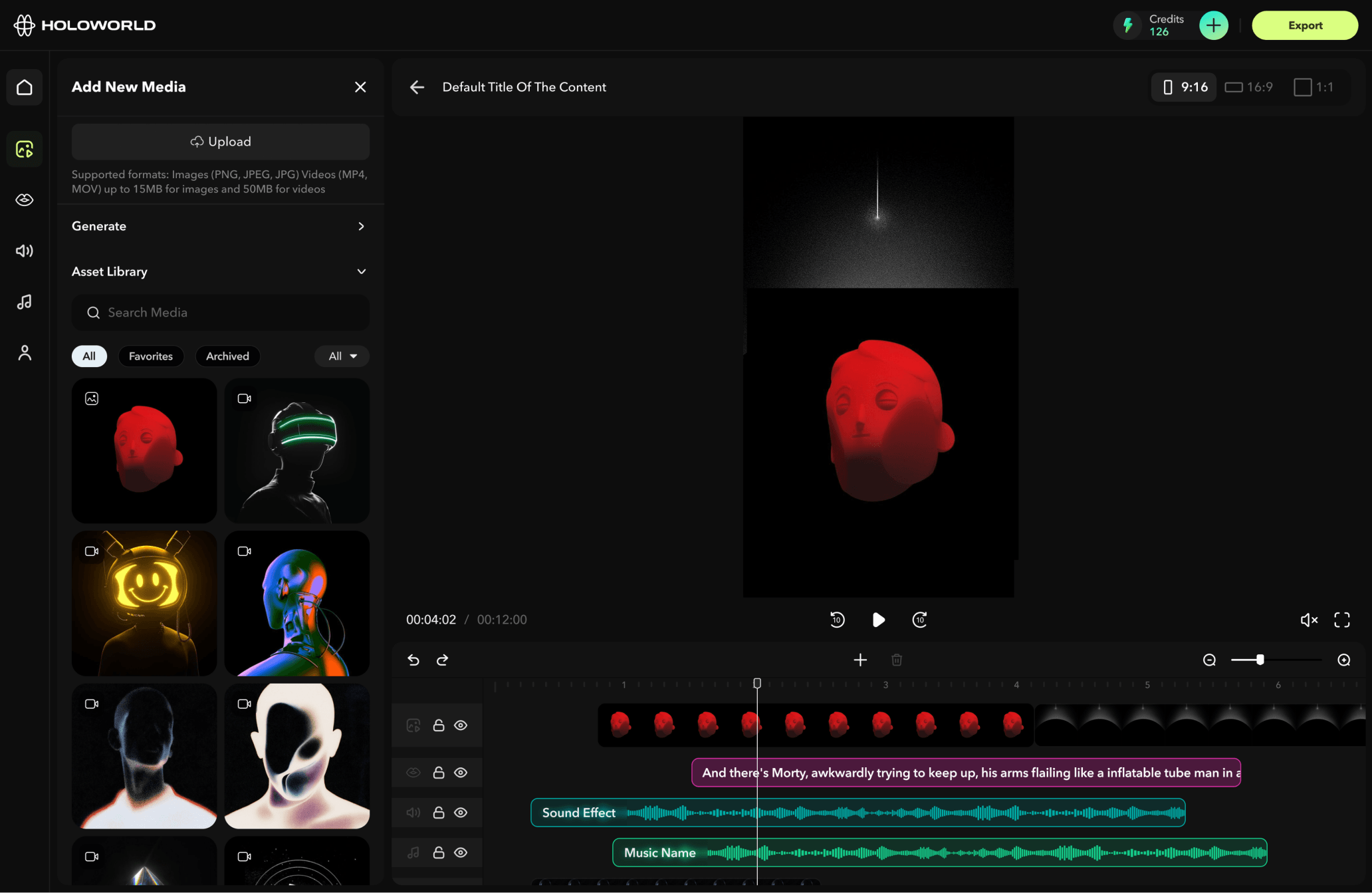
V3 — Studio-Connected Smart Editor
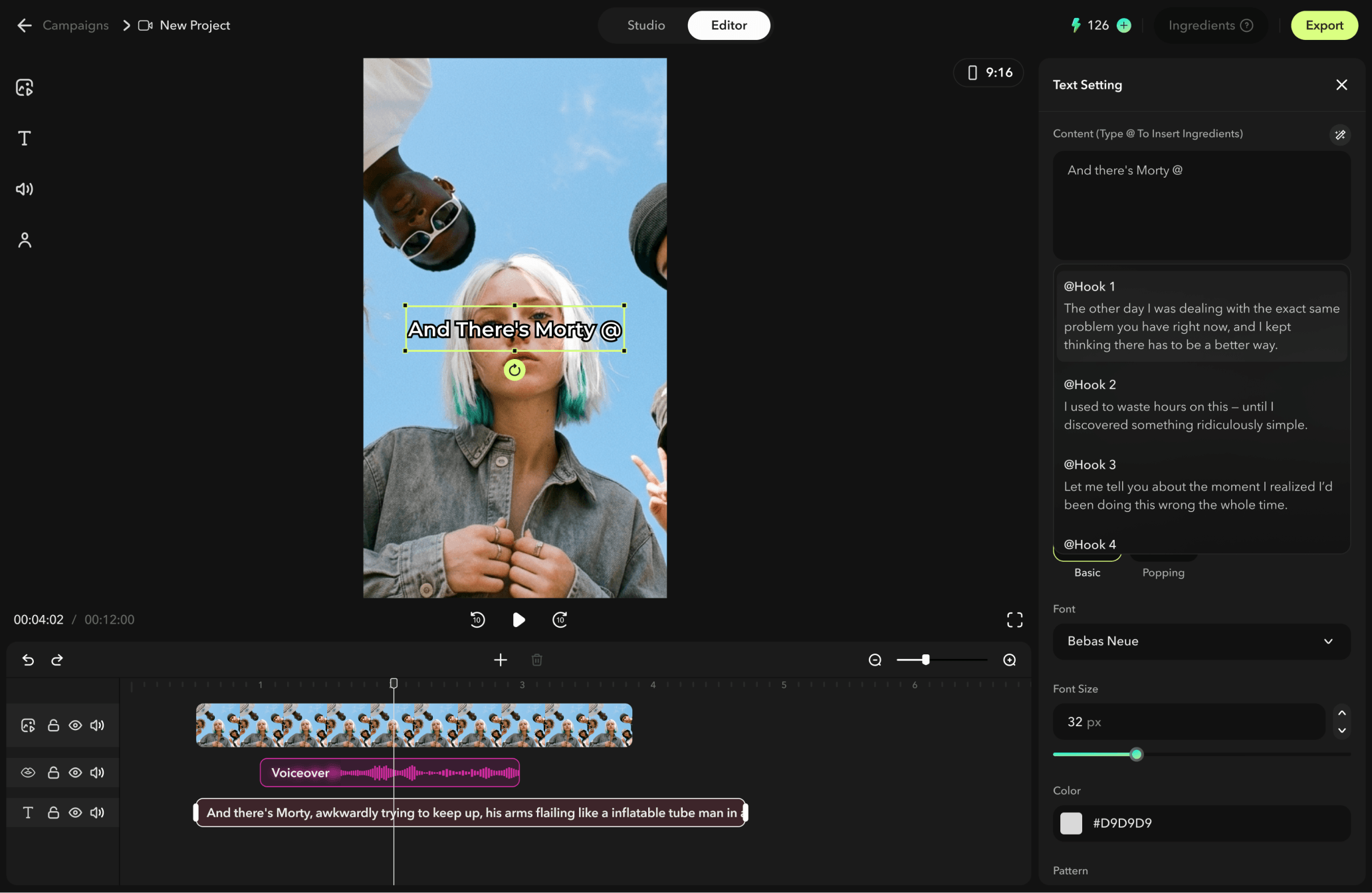
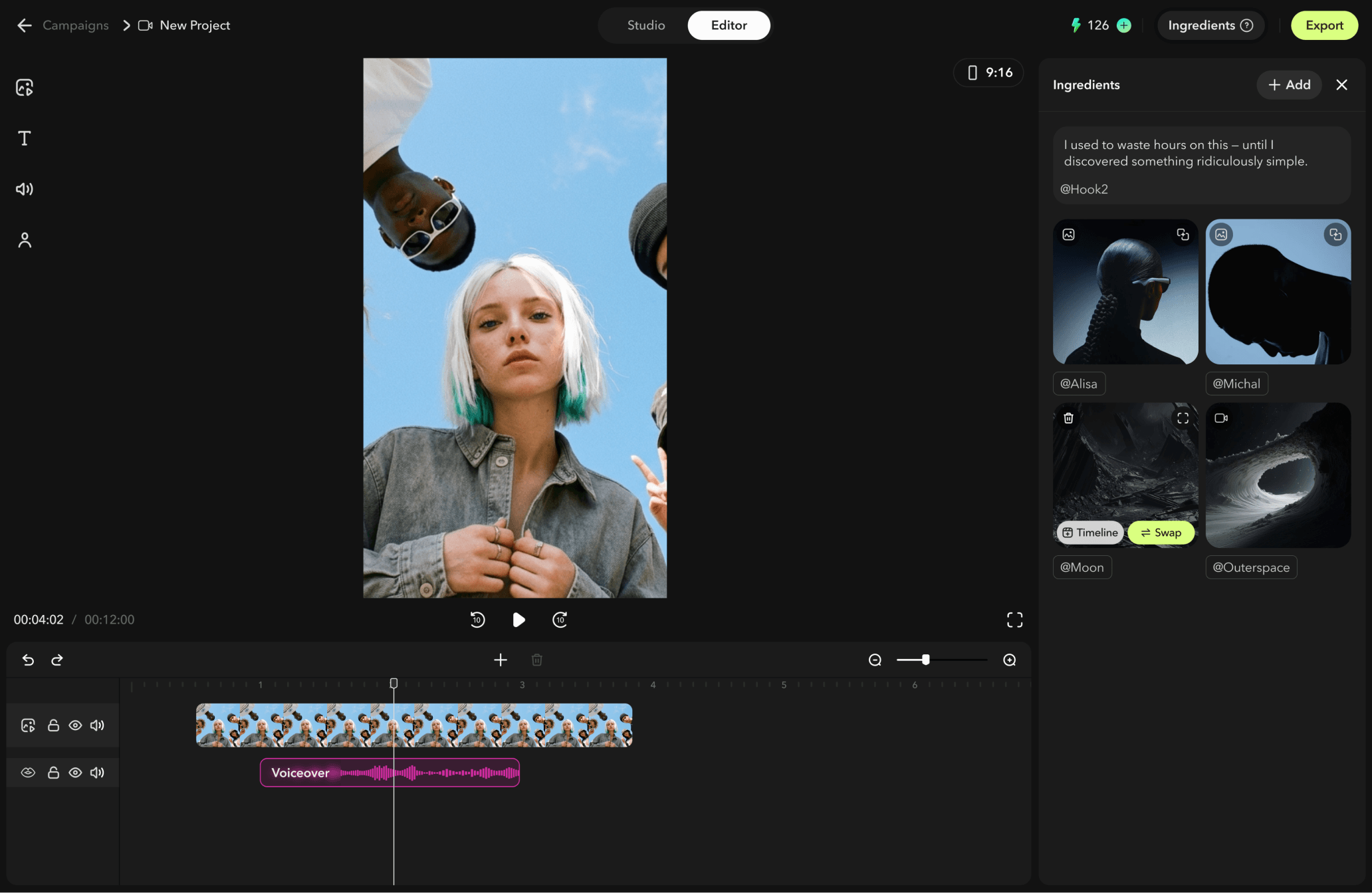
In the third version, the editor started to work more closely with Studio. Studio became the main stage for video generation, while the editor focused more specifically on video refinement, timeline adjustments, and final edits.
At this stage, we also introduced the concept of “@ingredients,” which will be explained in more detail in the Studio section. An ingredient can be understood as a reusable variable within each project. Users can call an ingredient through an @mention during generation. When a user replaces a mentioned ingredient, all related clips can be updated accordingly, significantly improving editing efficiency and reducing repetitive manual work.
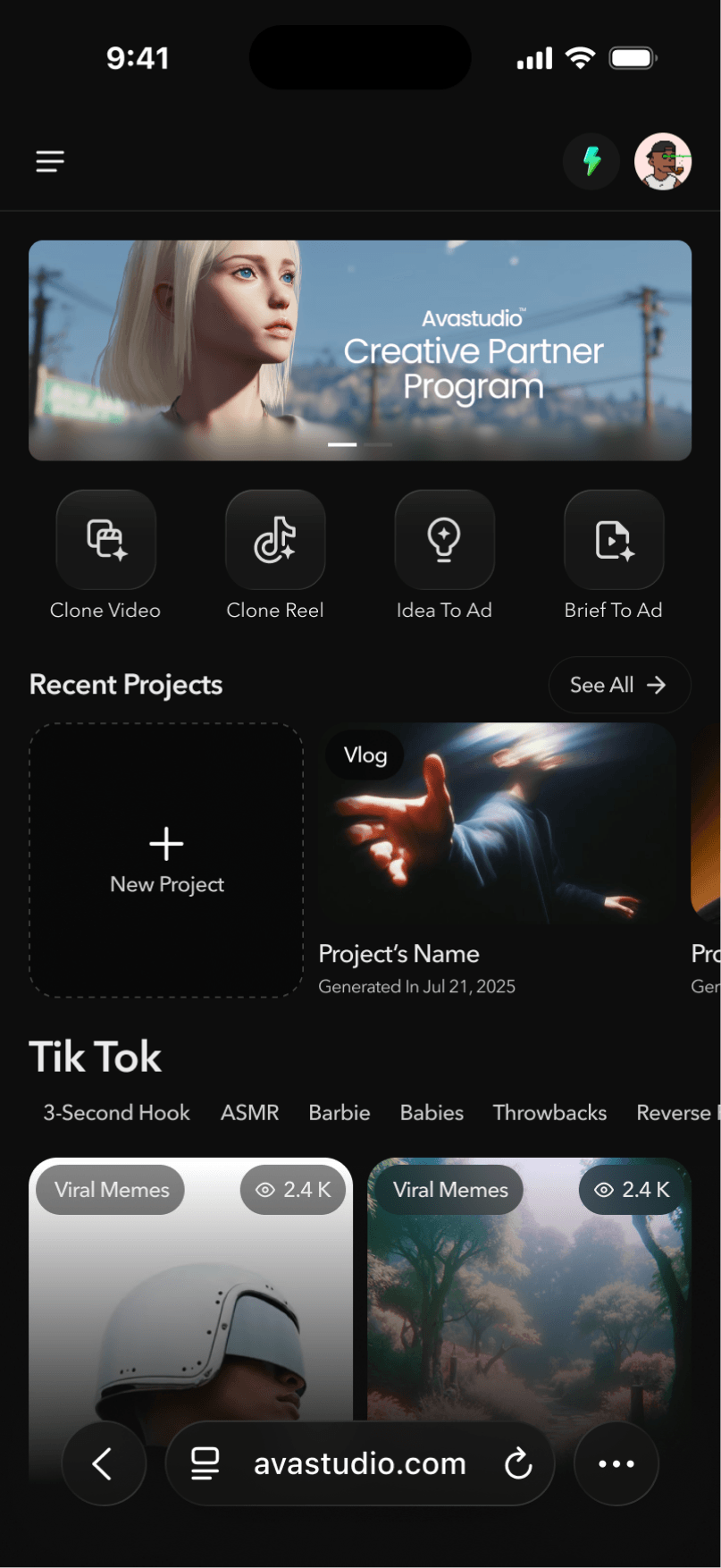
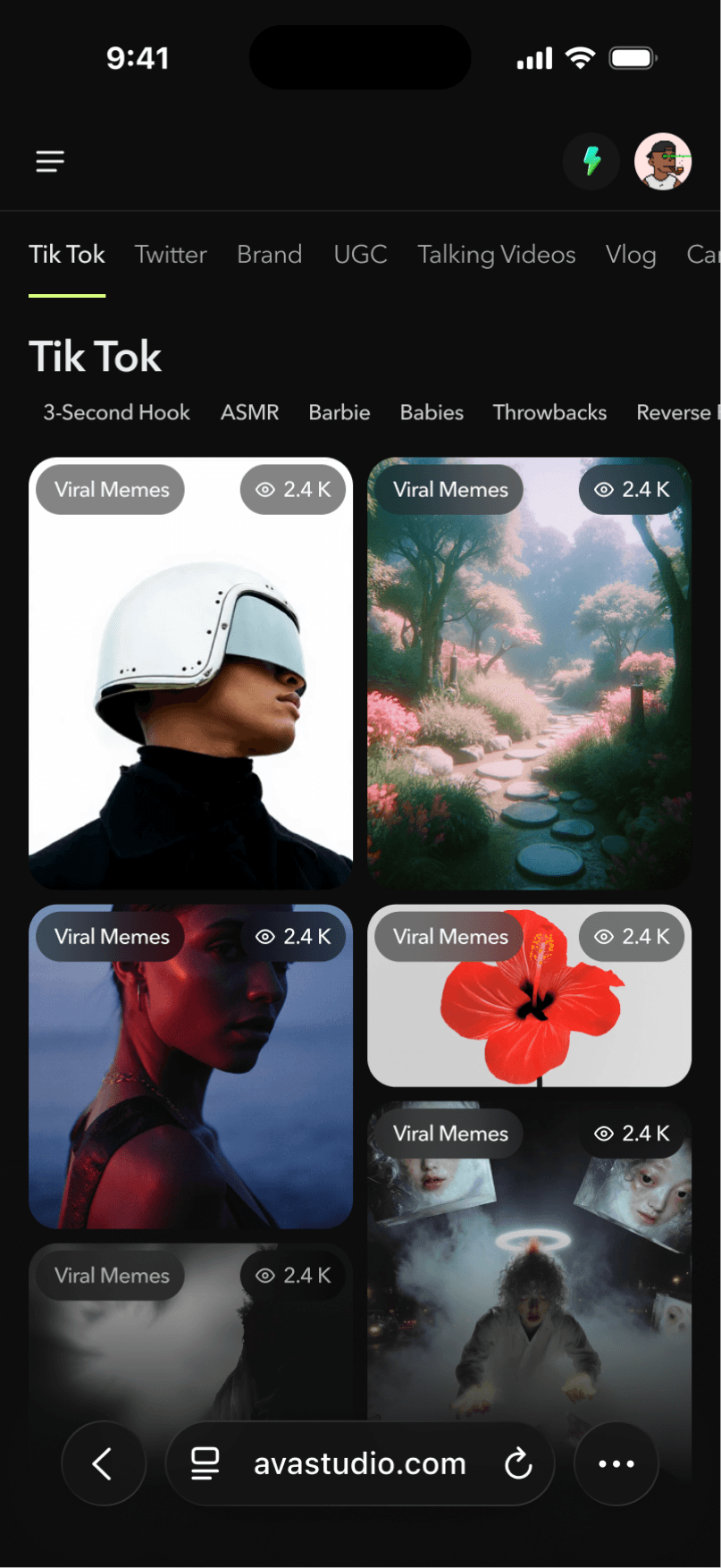
5.Mobile Version
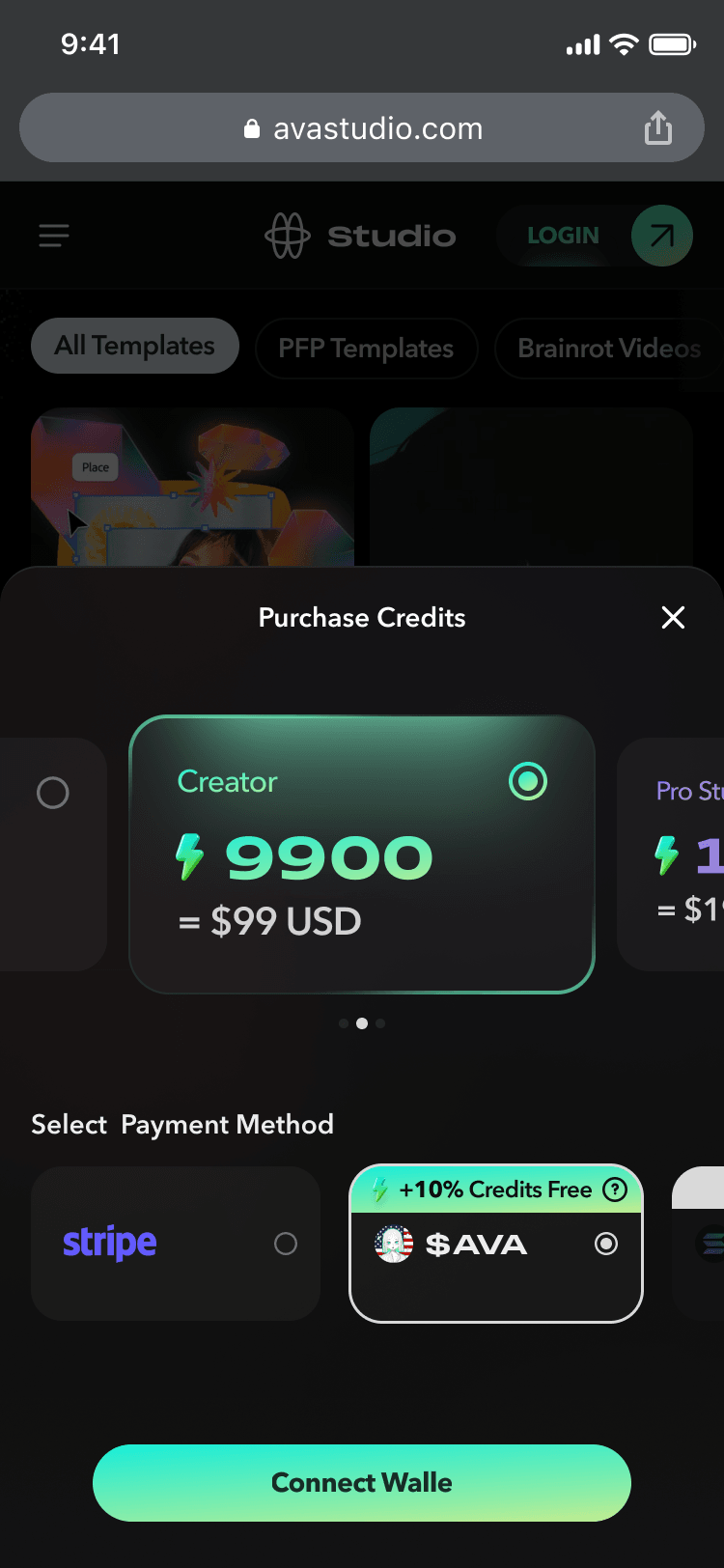
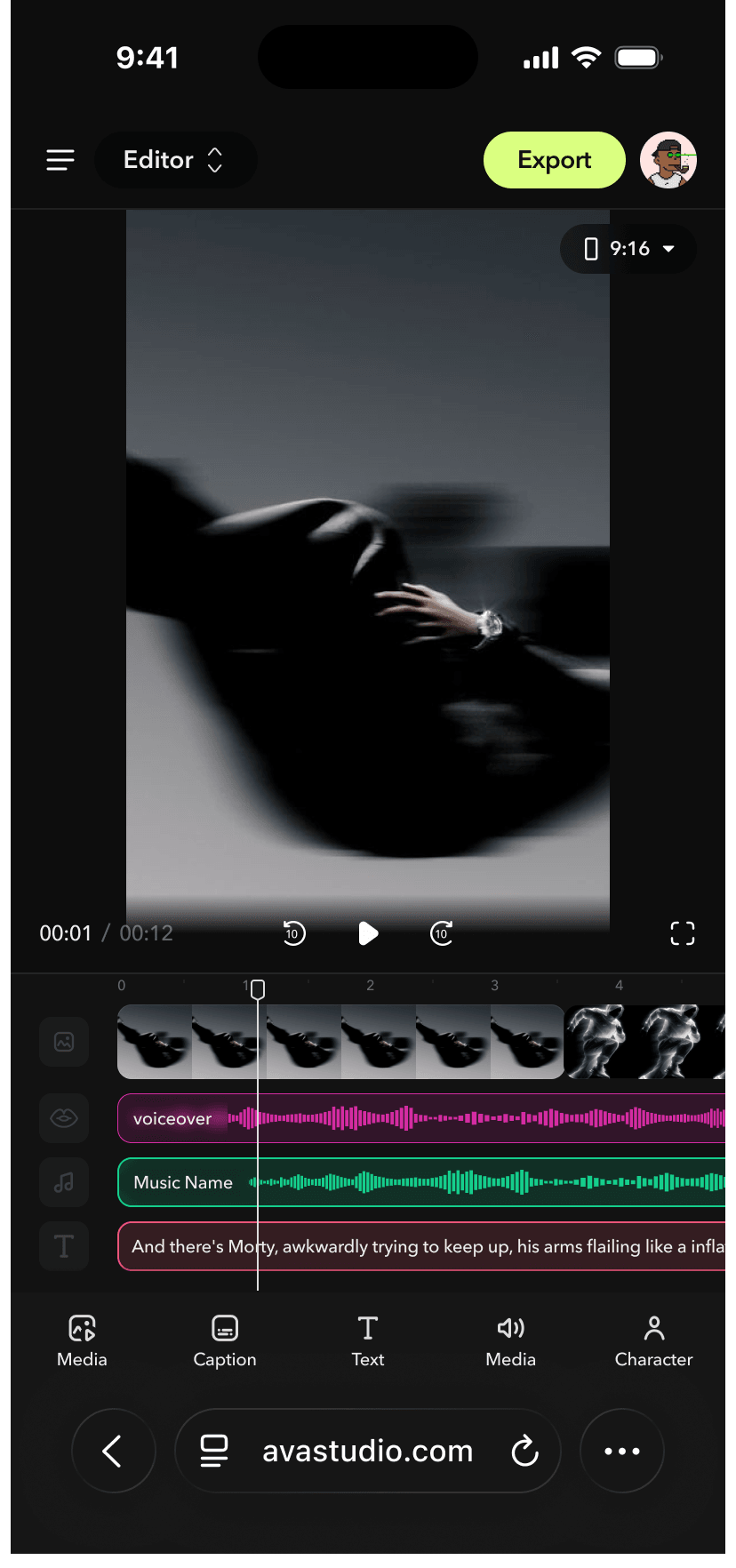
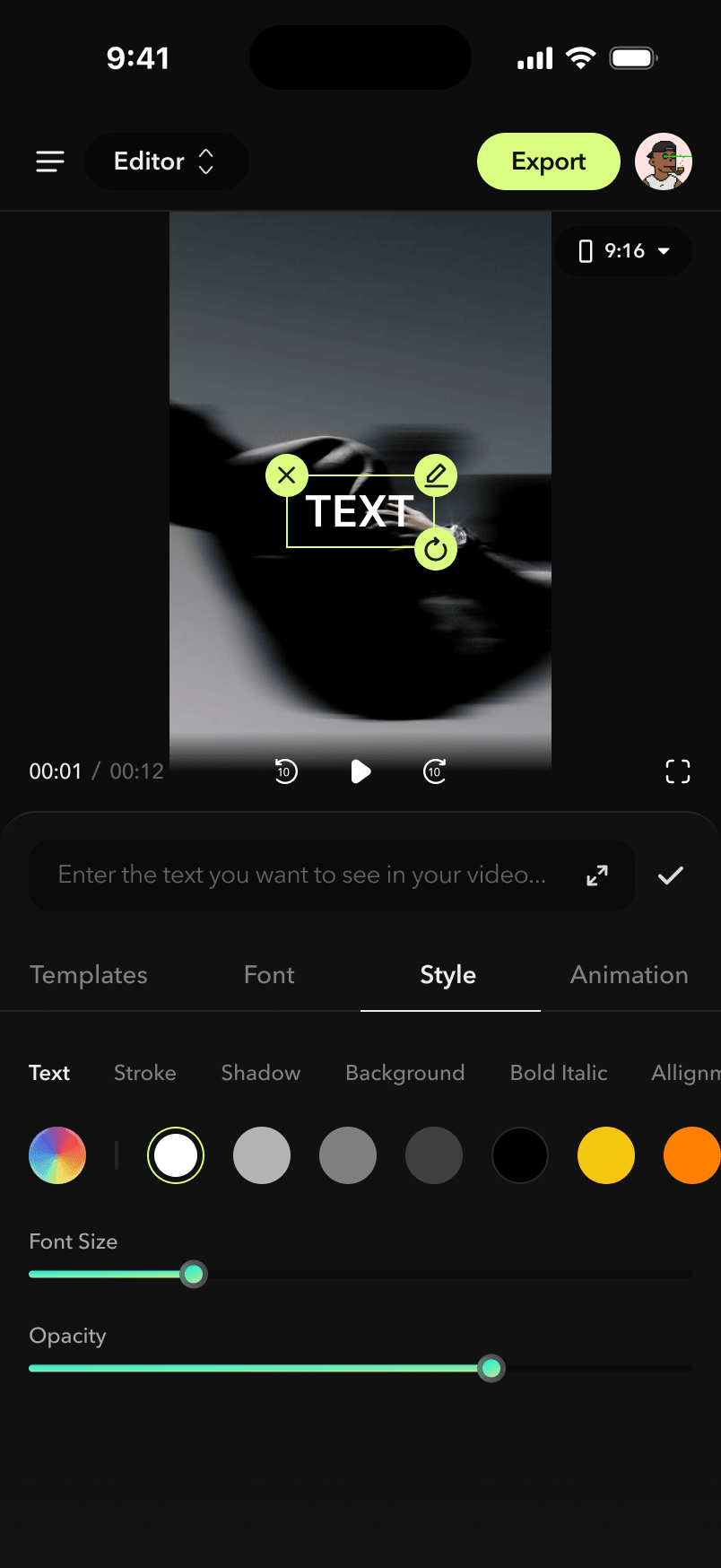
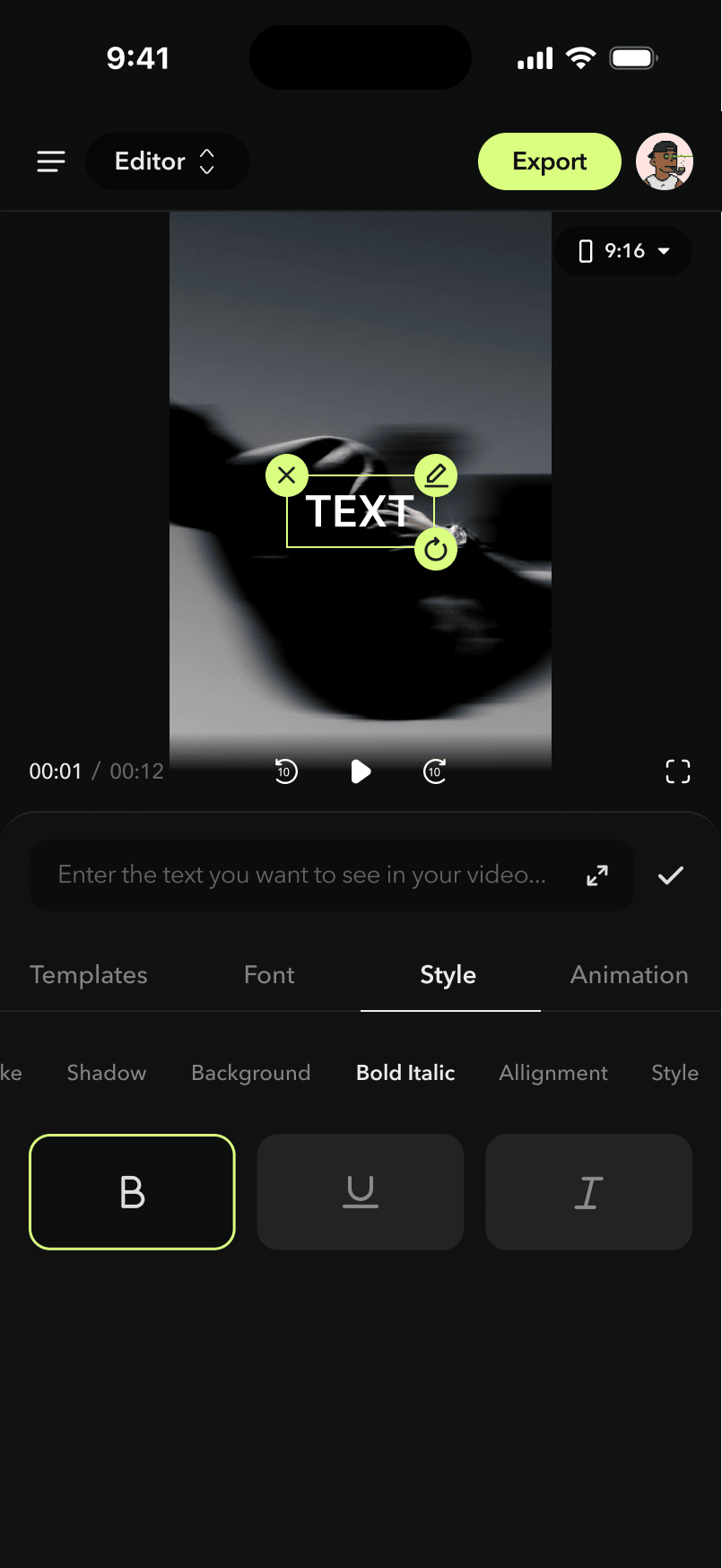
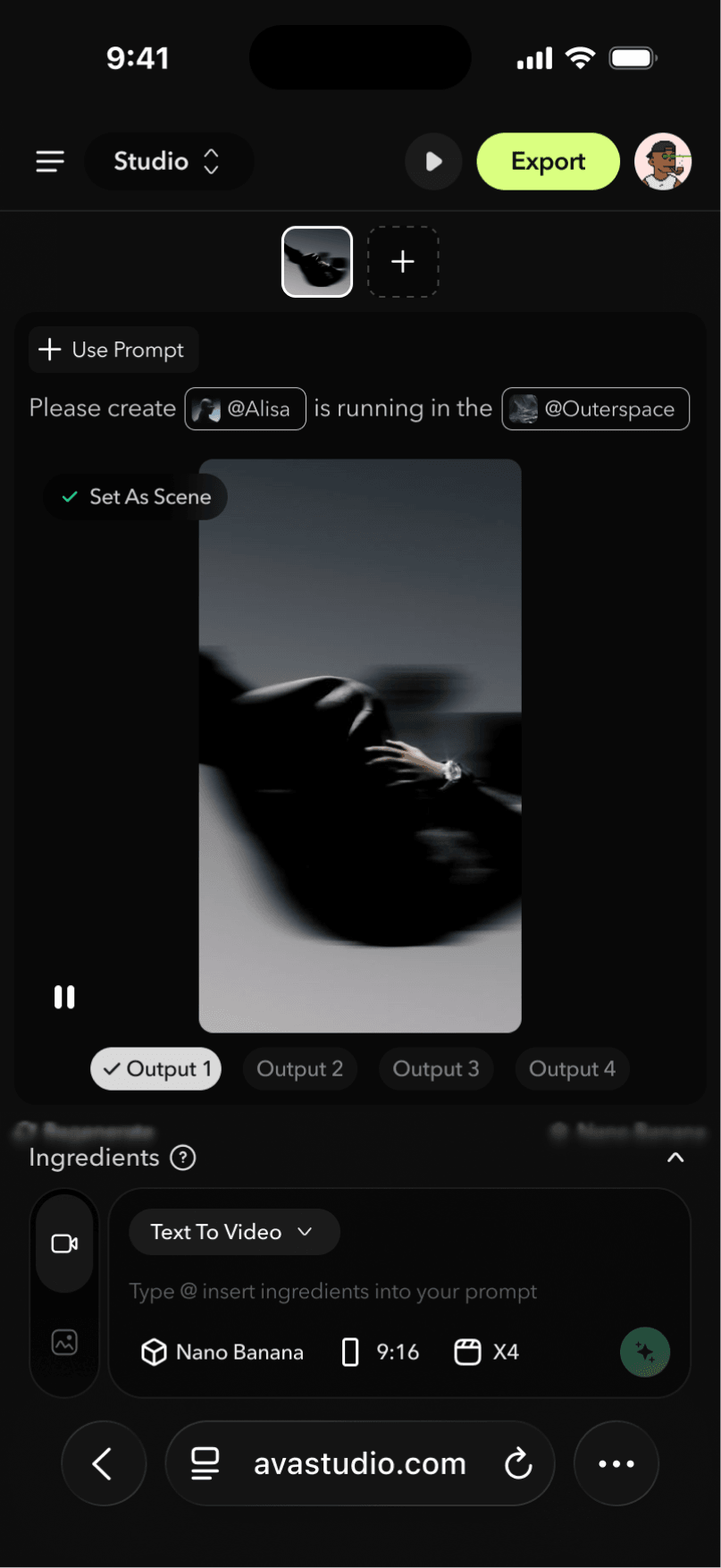
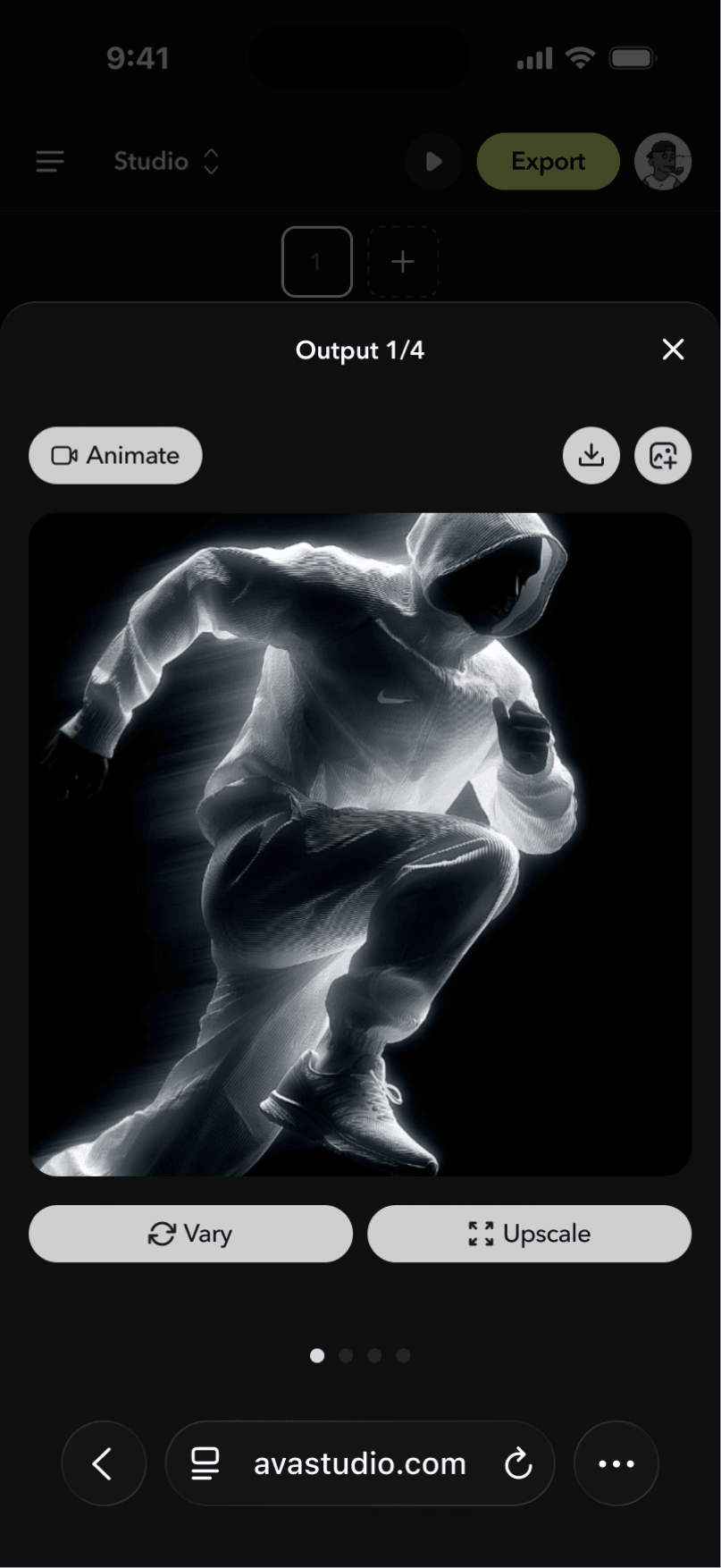
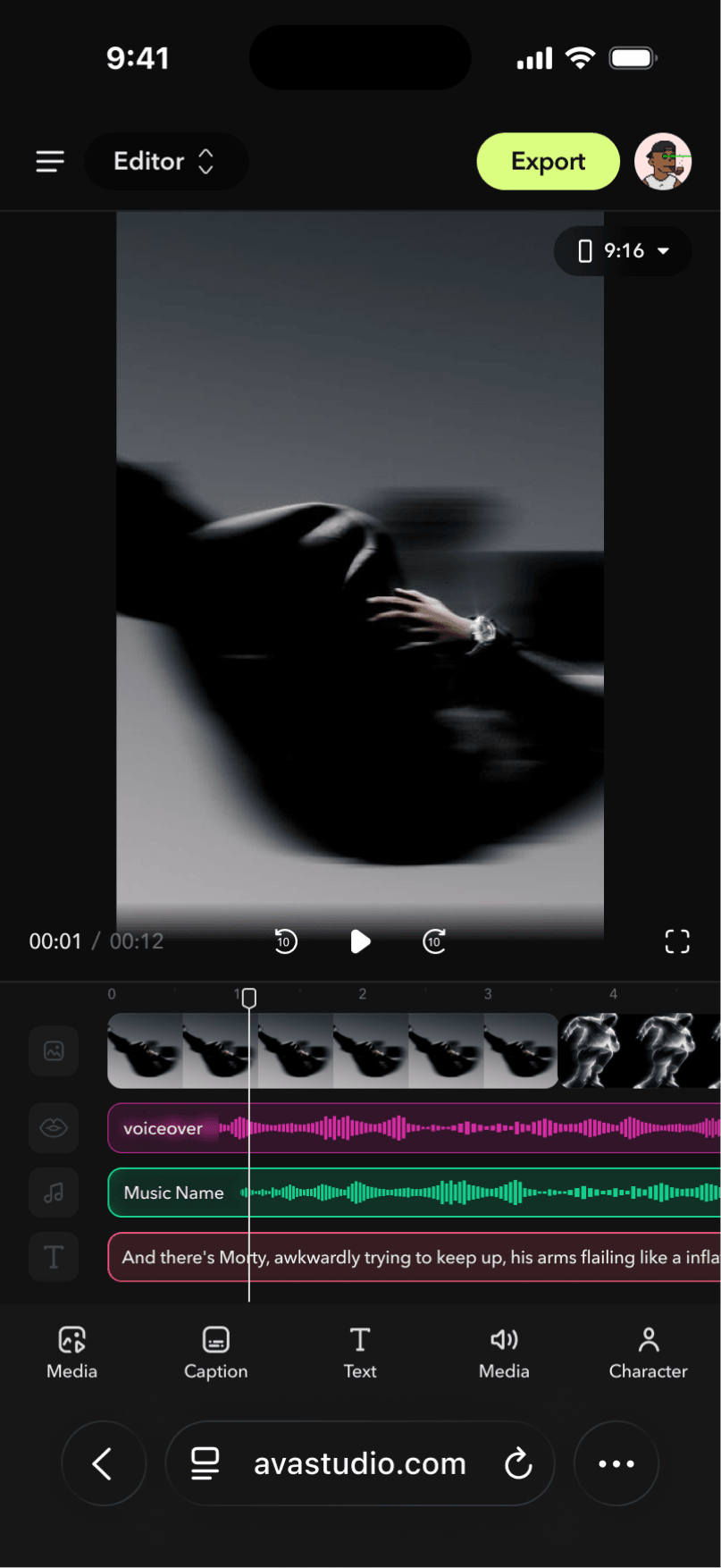
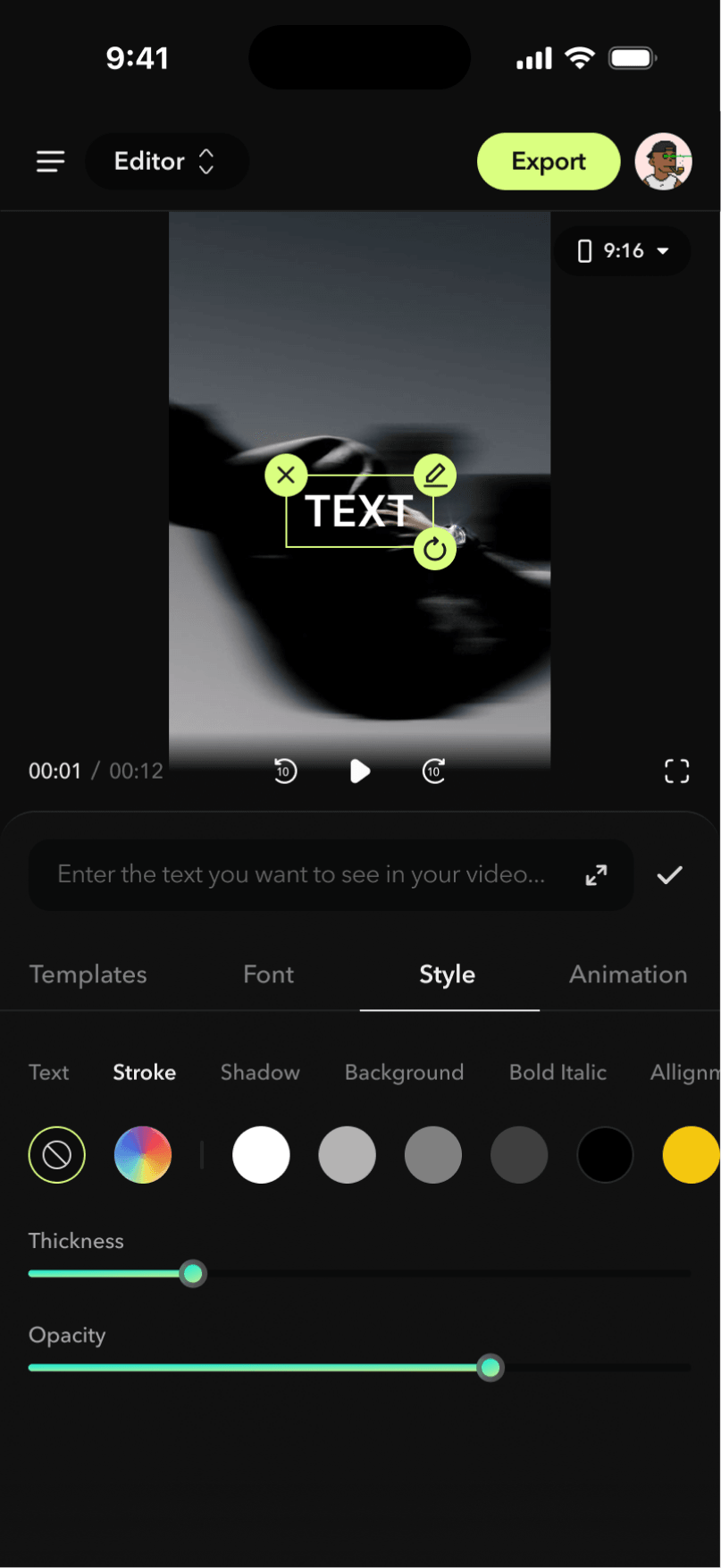
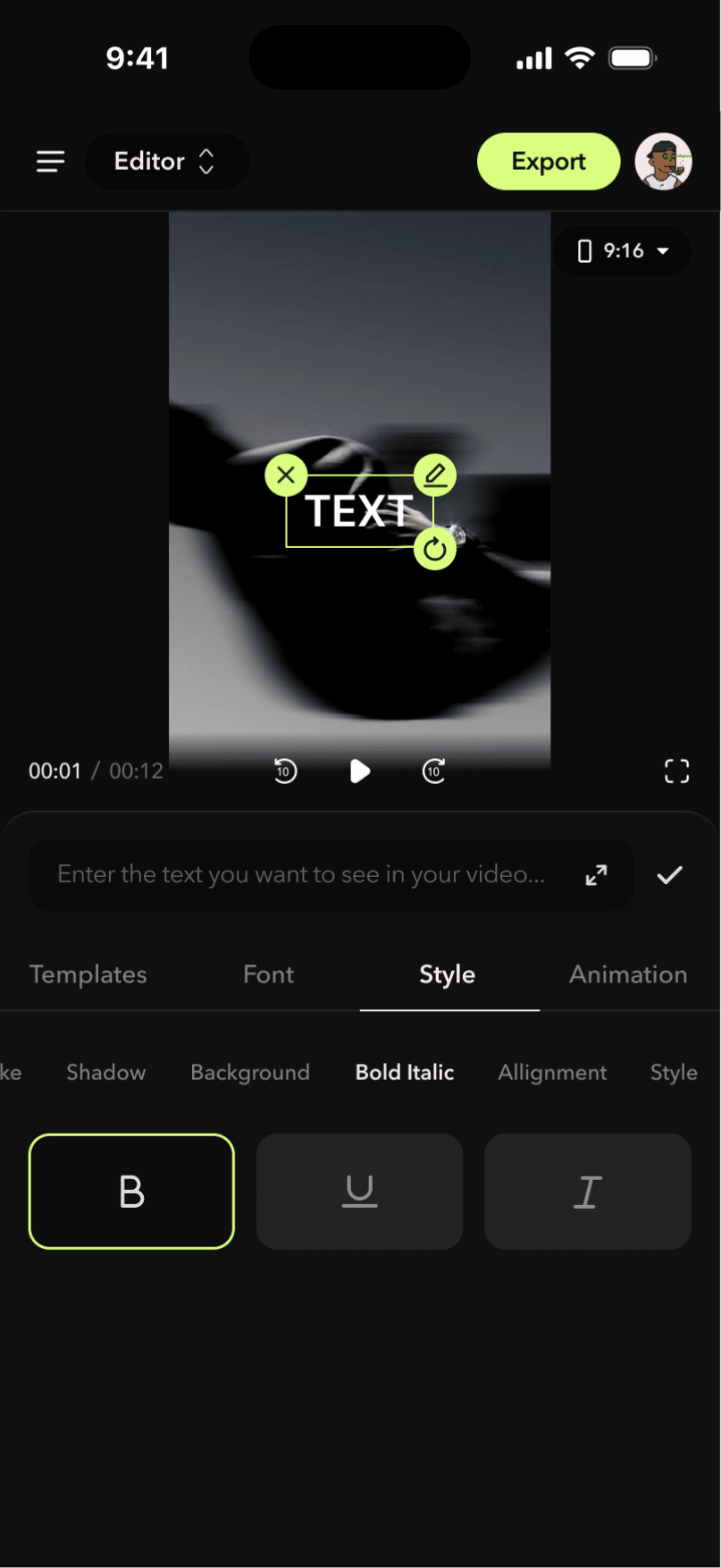
The mobile version also went through three major iterations alongside the web version. In addition to maintaining feature parity with the web experience, the interface and interactions were further refined to align with mobile UX best practices.
V1 — Mobile Version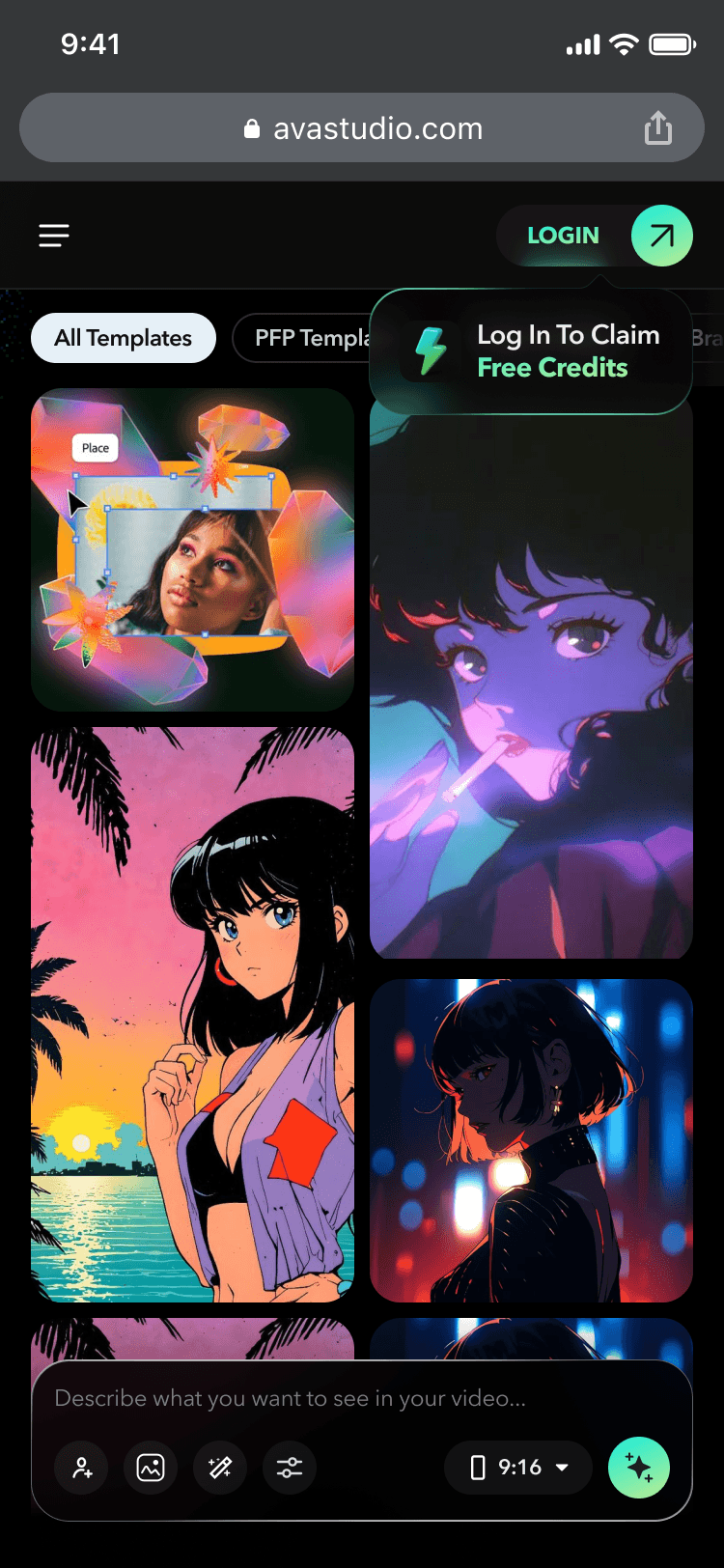
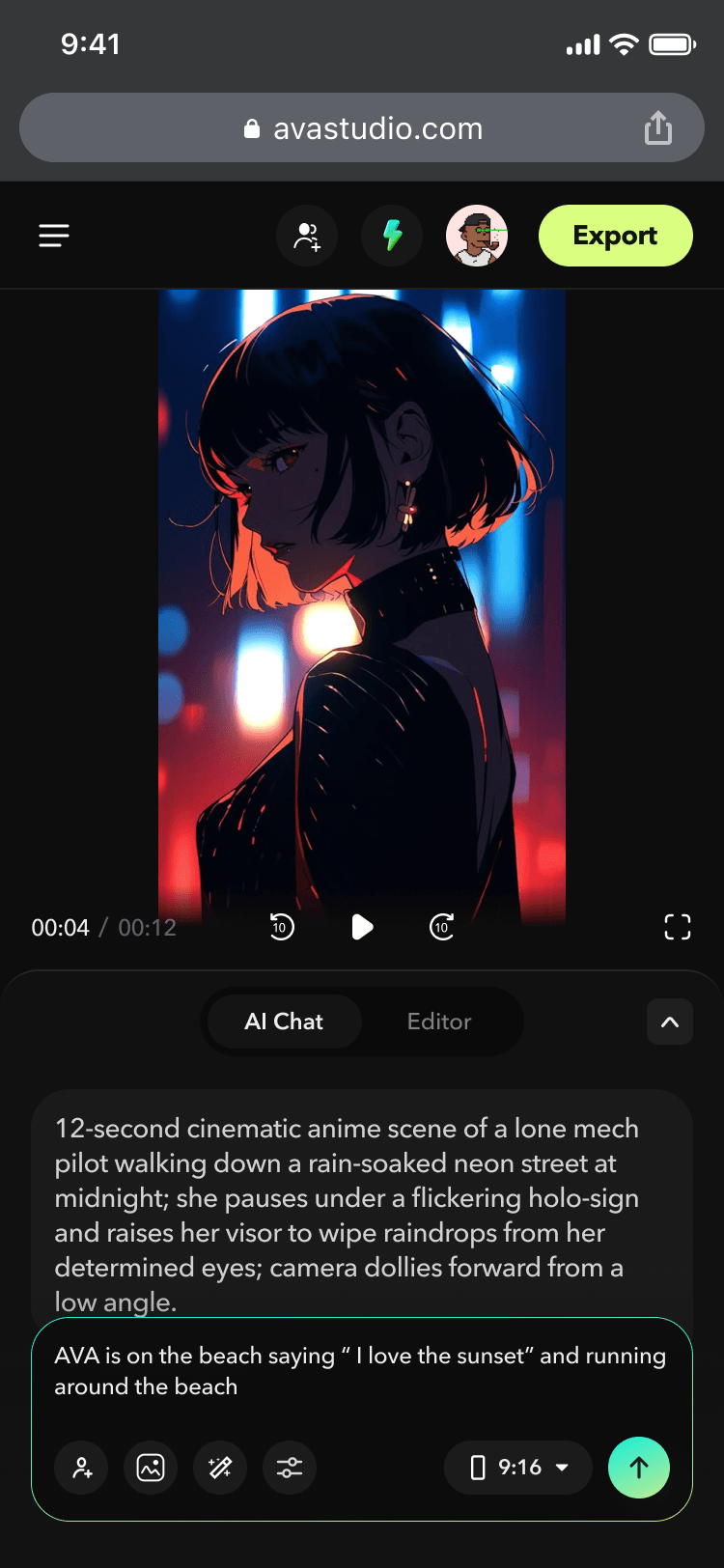
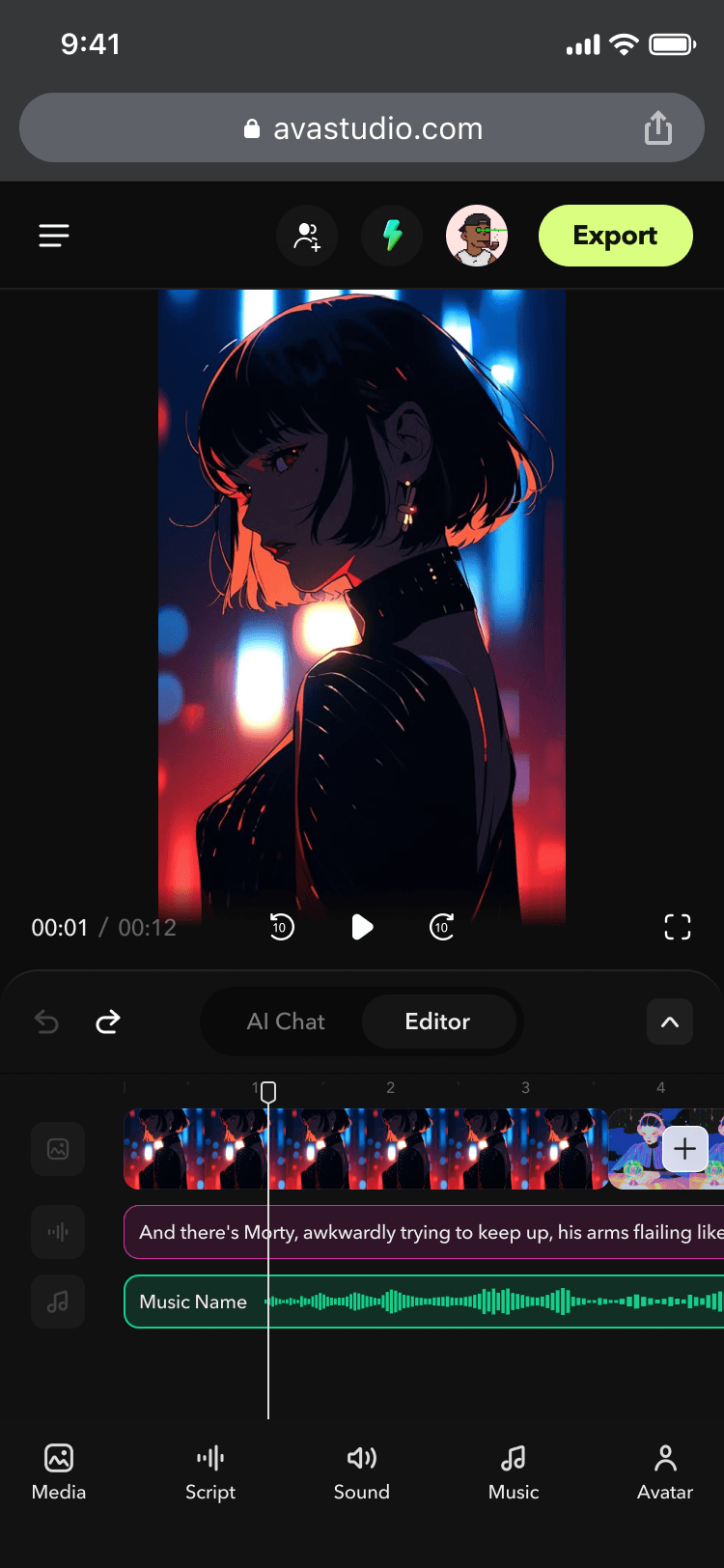
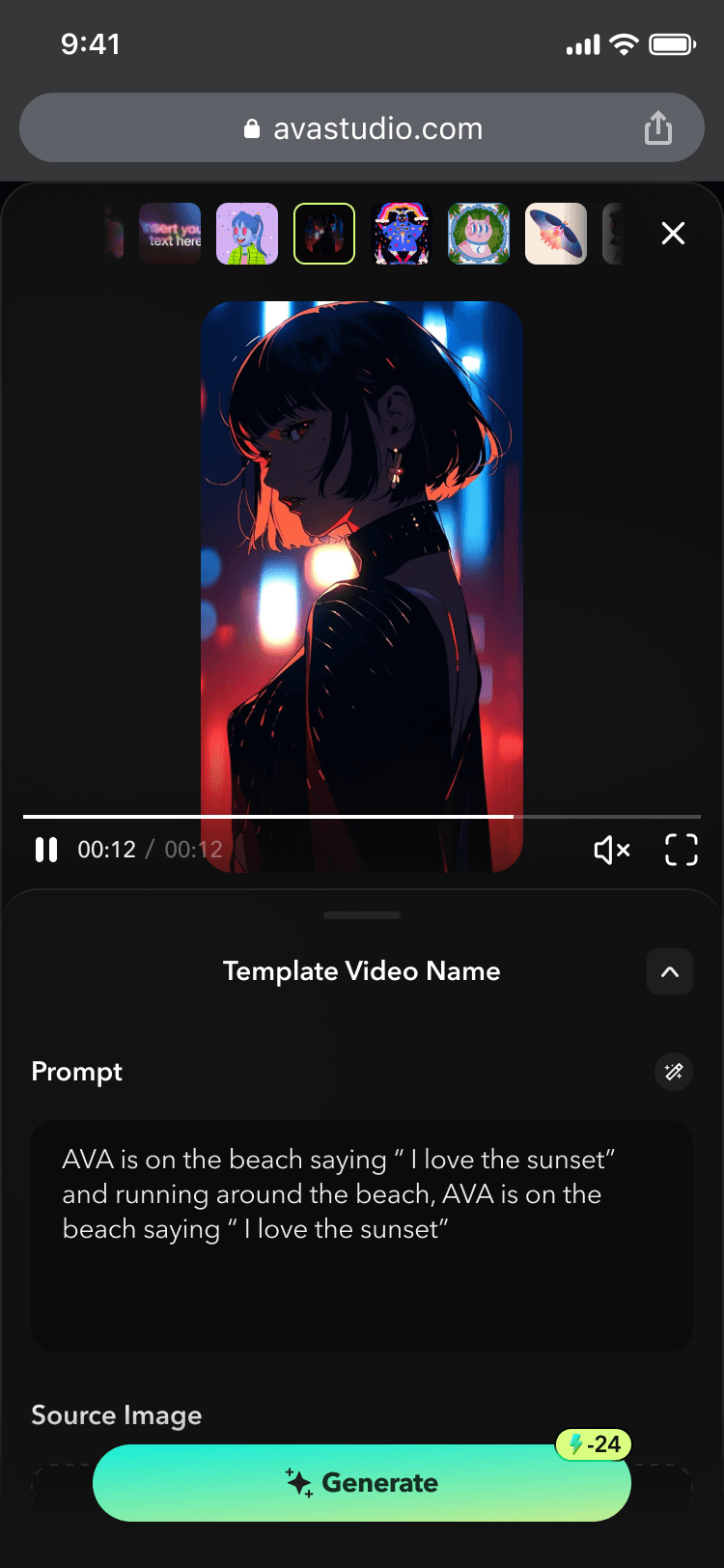
V2 — Mobile Version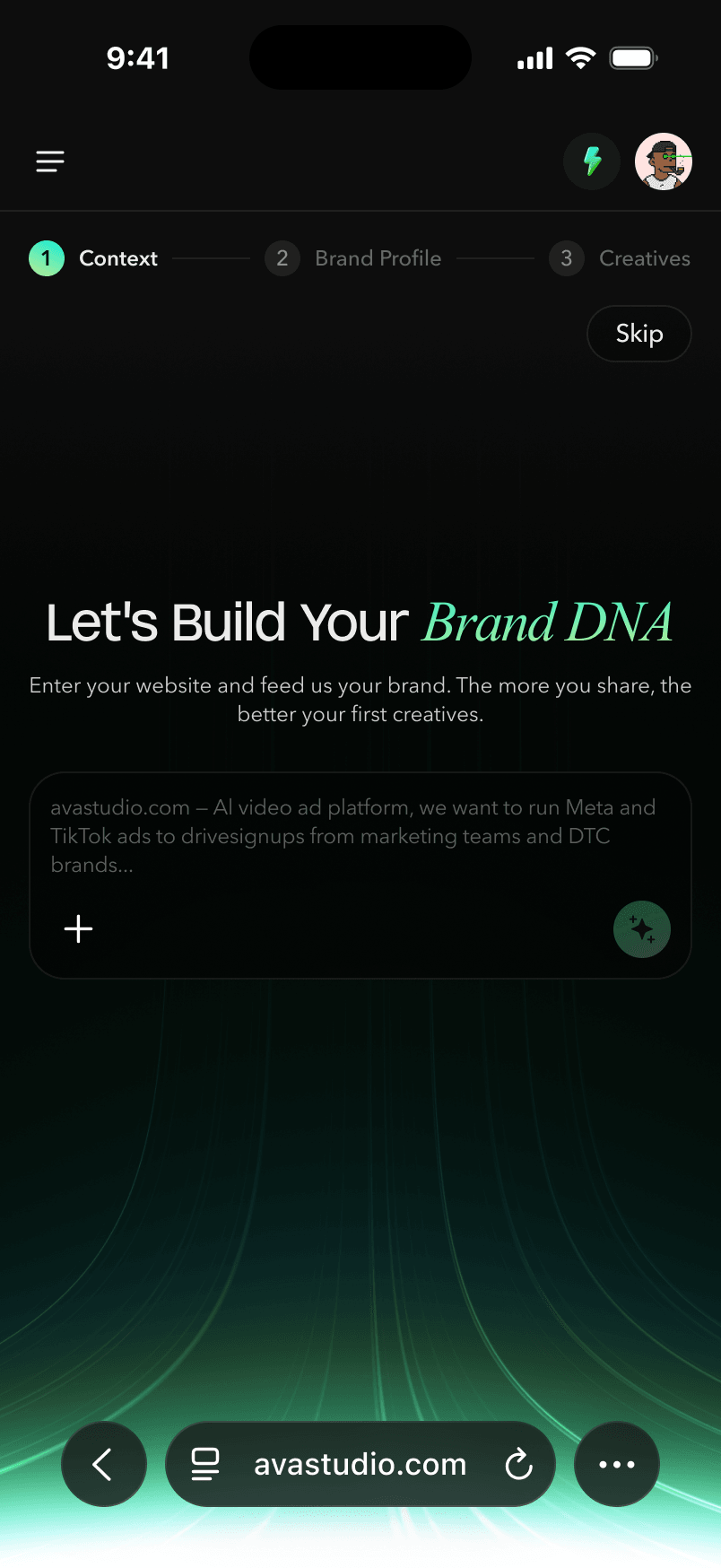
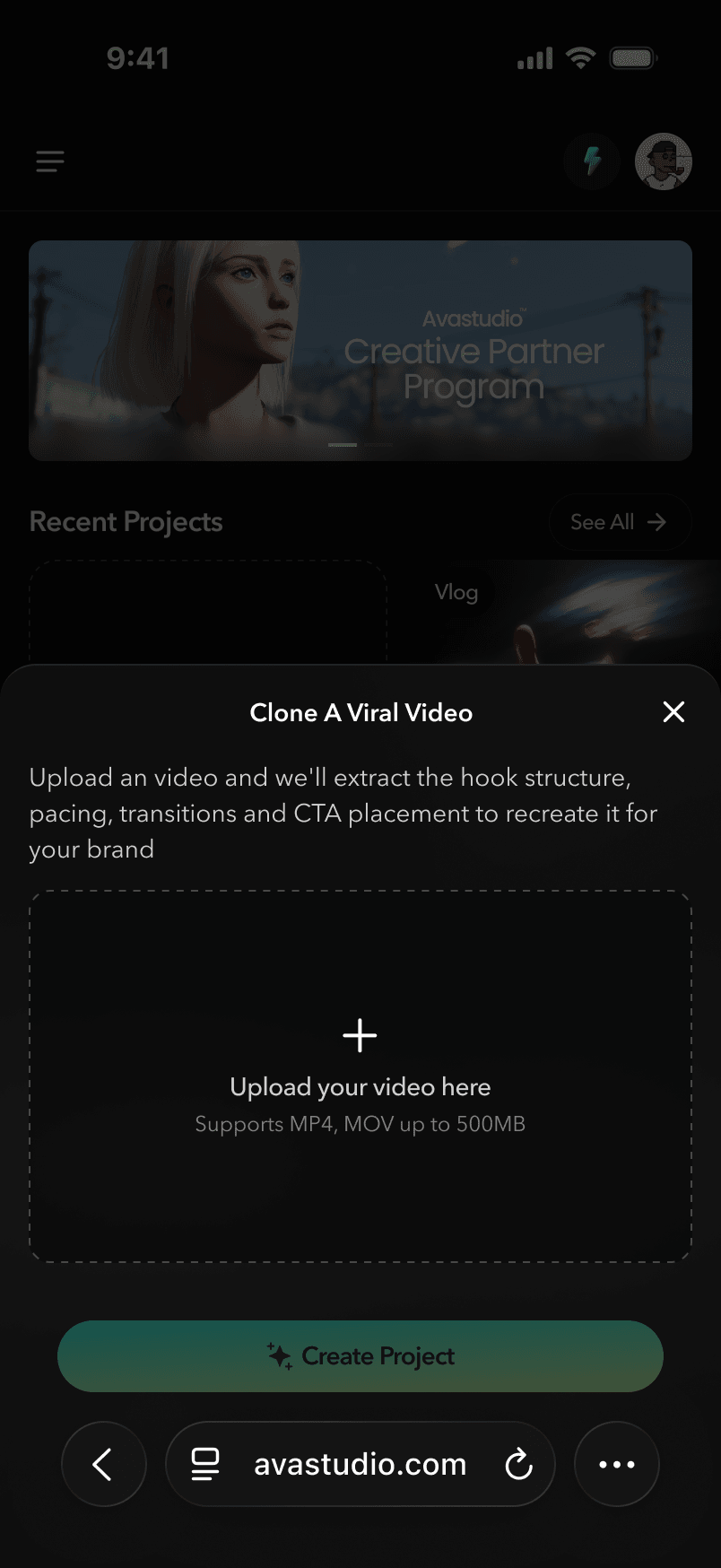
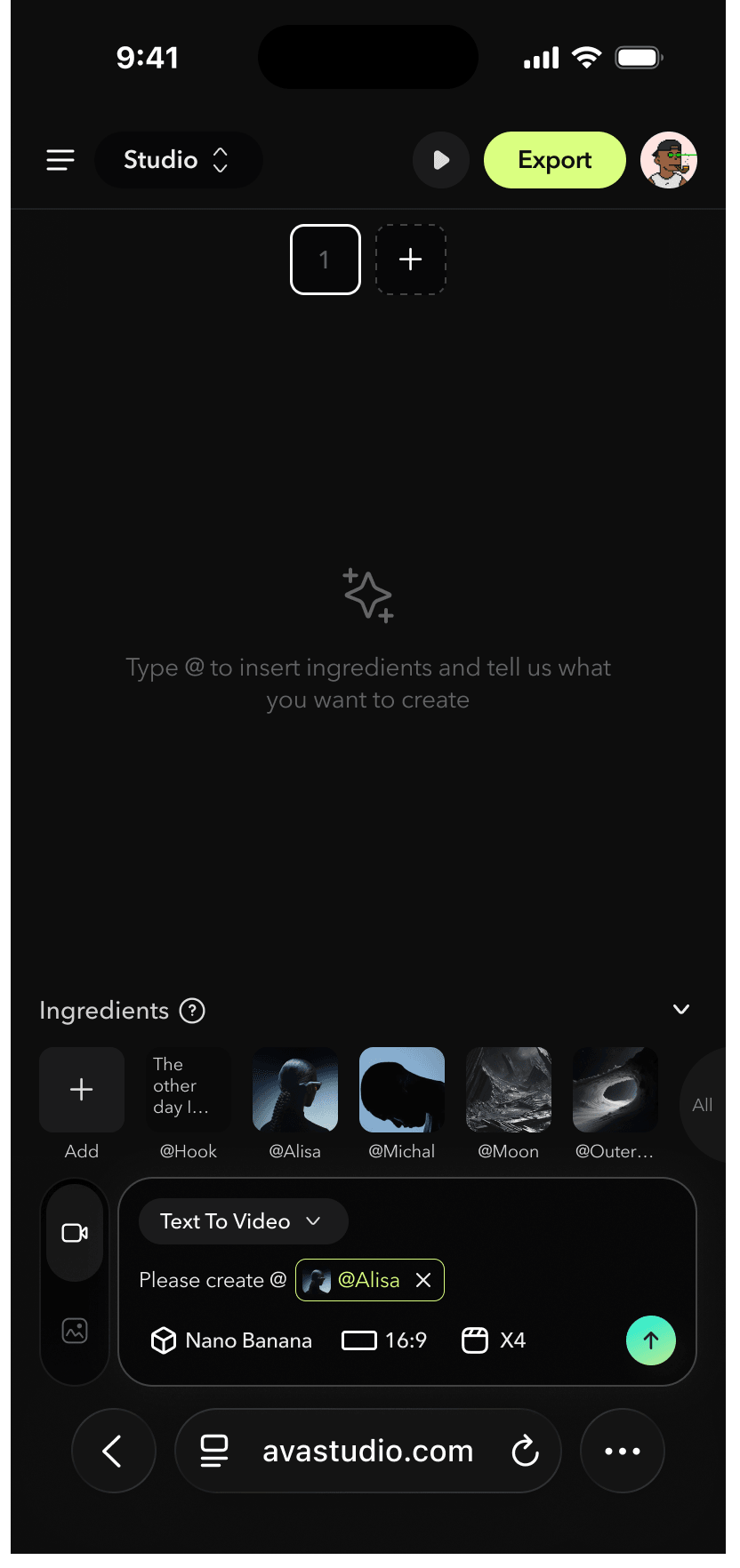
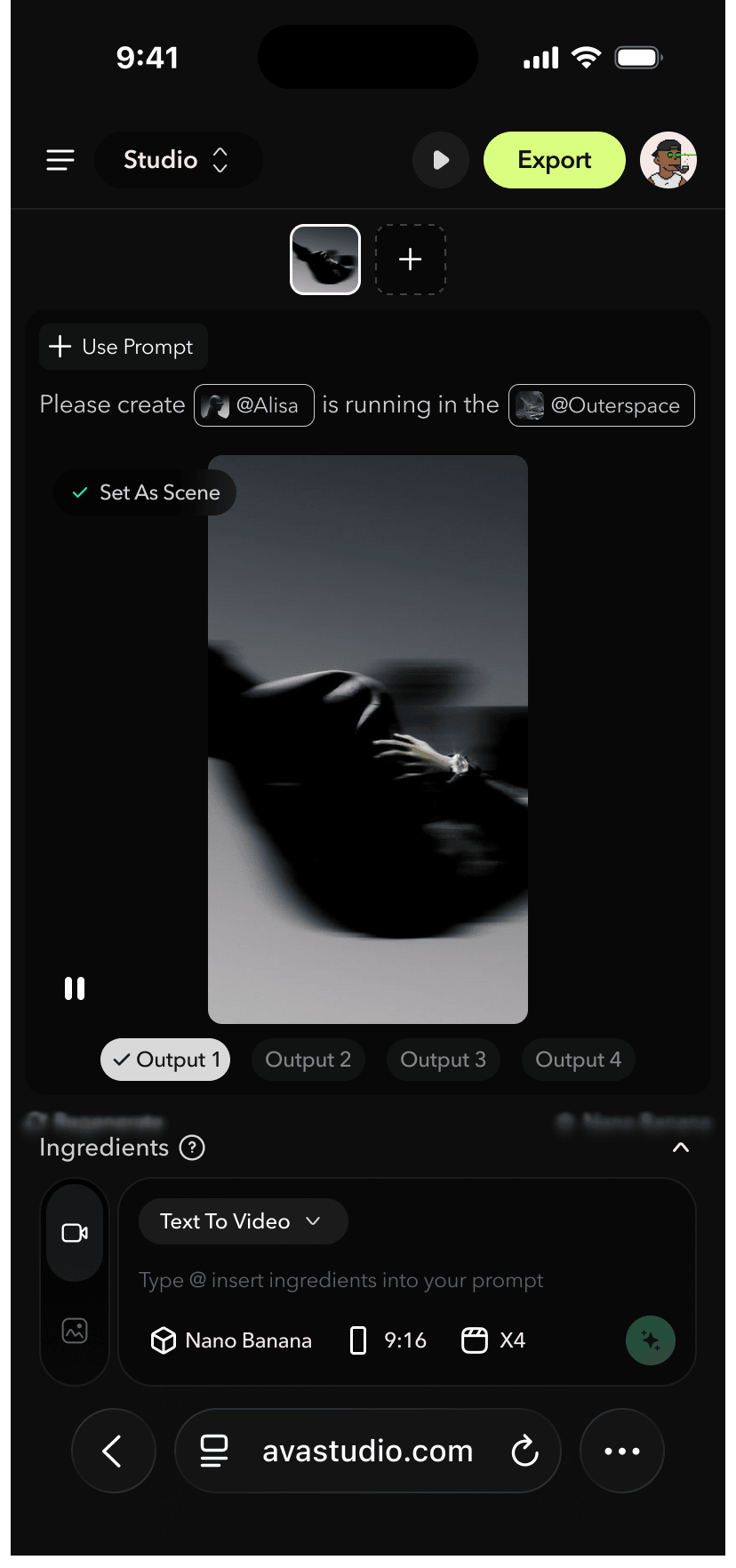
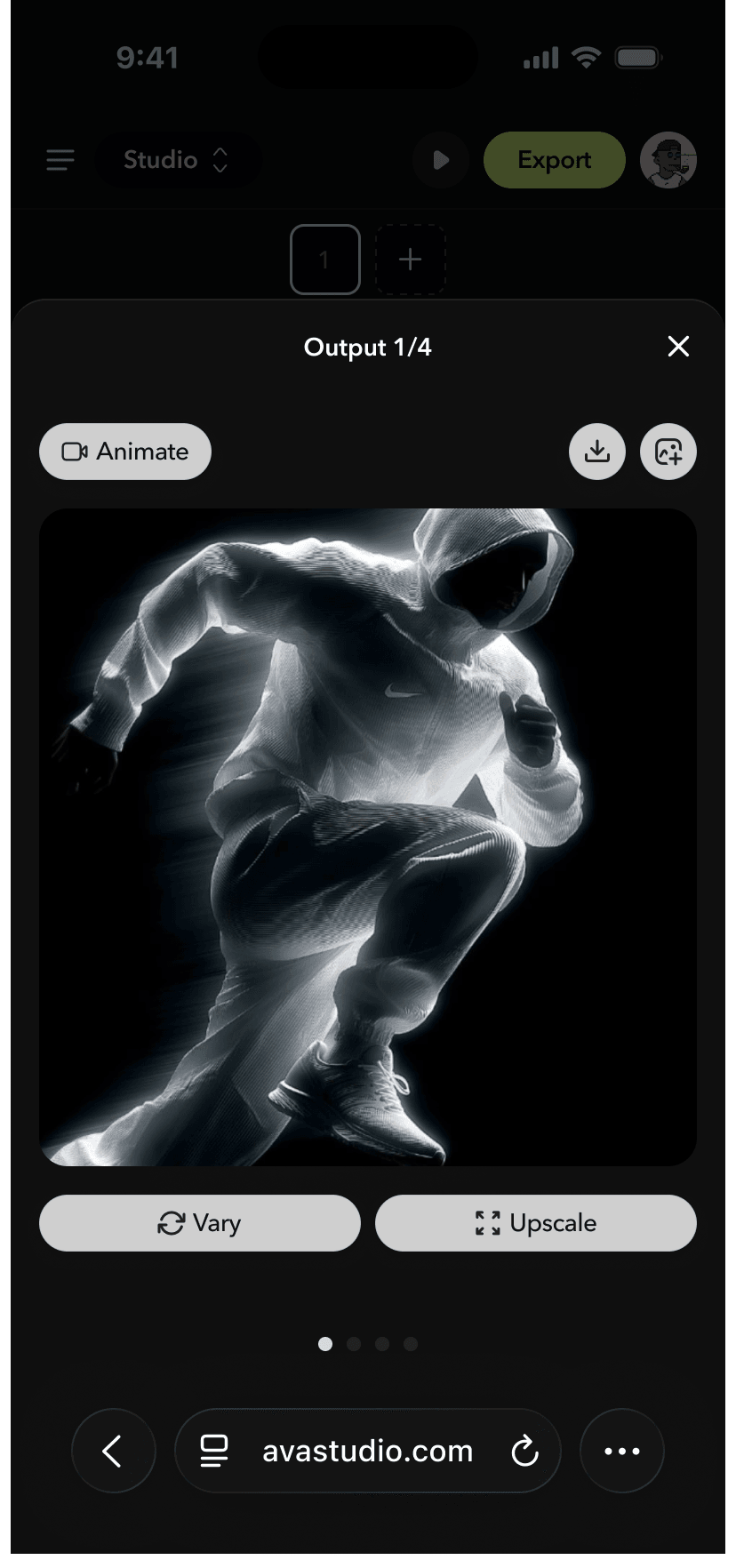
V3 — Mobile Version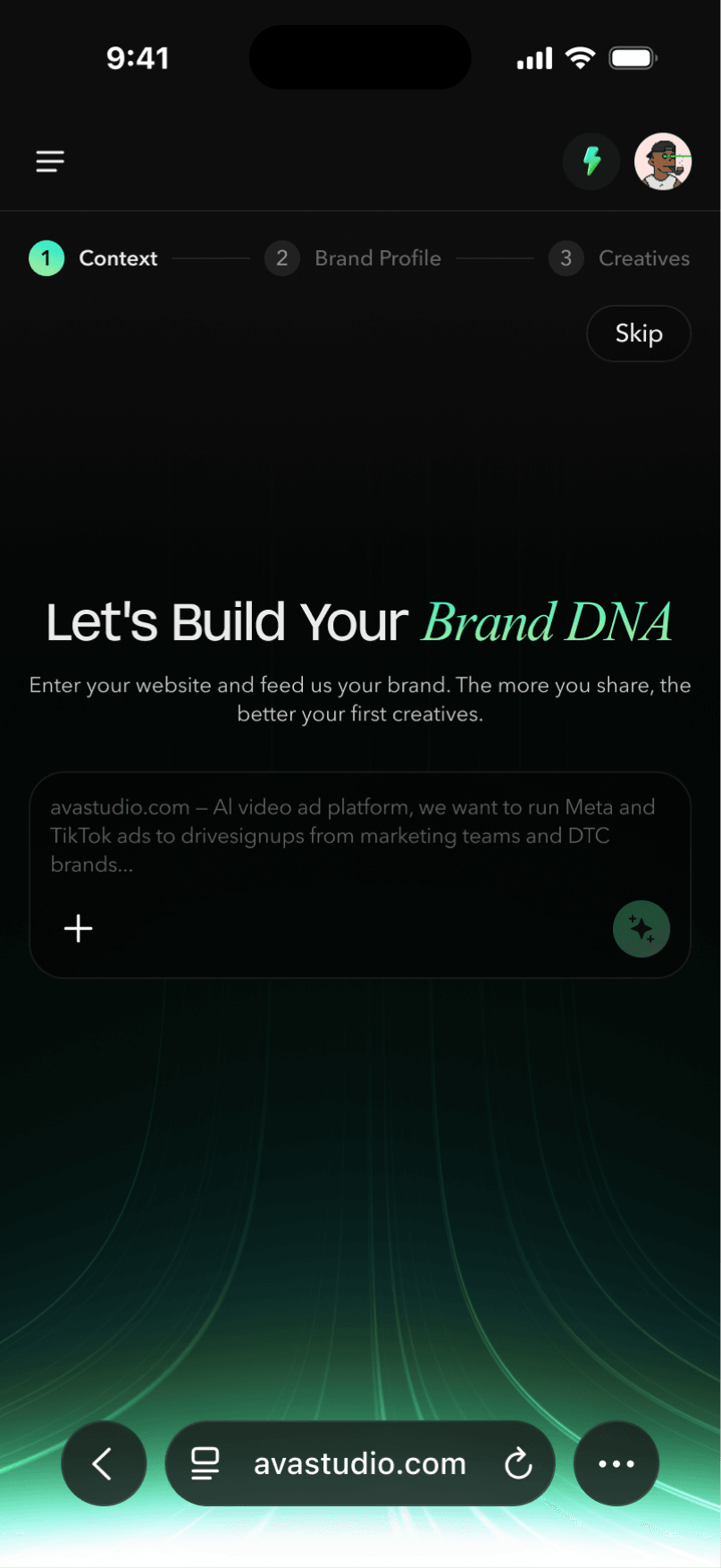
6.User Accessibility & Usability Testing
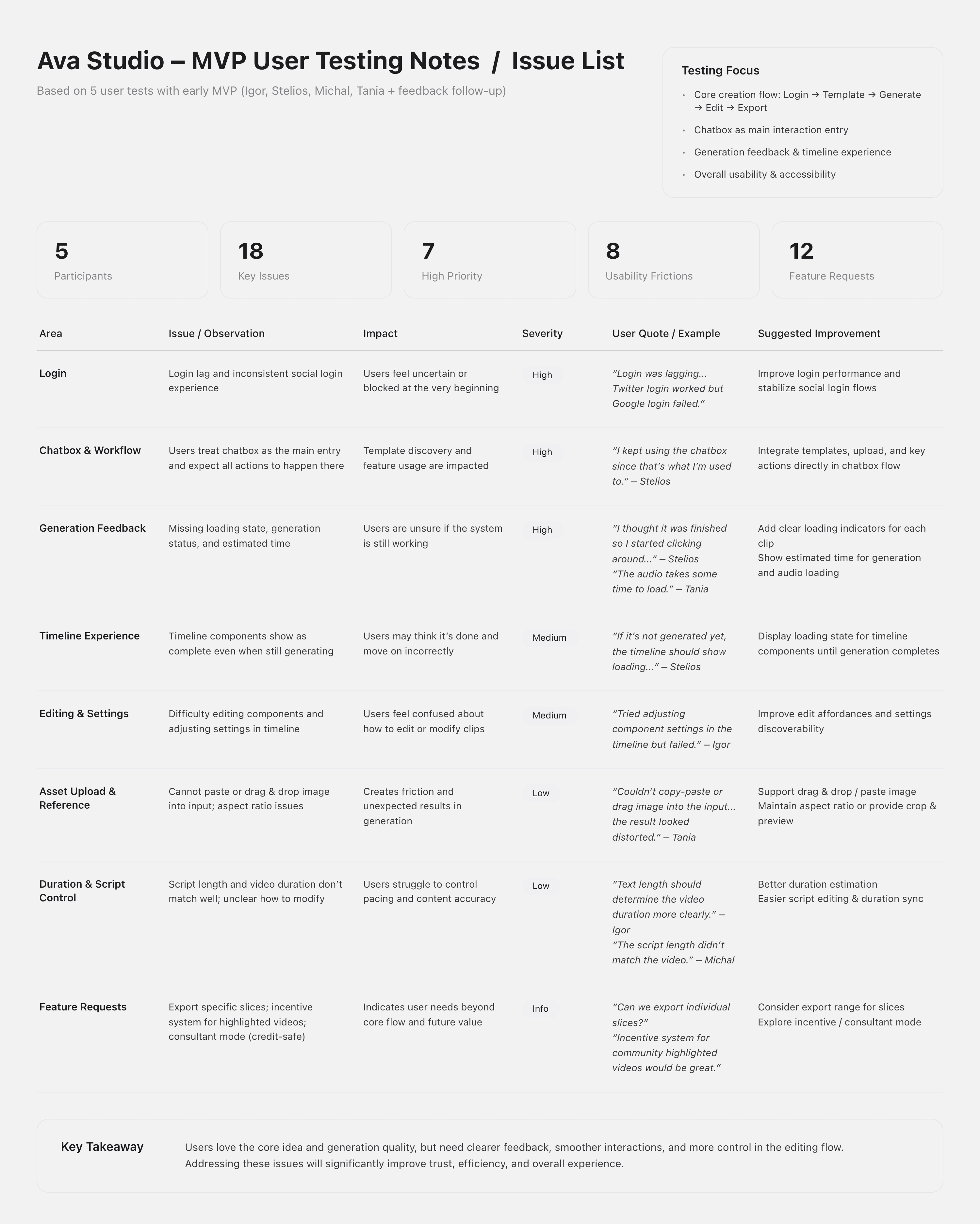
In the early MVP stage of Ava Studio, I used task-based user accessibility testing to evaluate whether users could complete the core video creation flow smoothly. We defined key tasks such as login, template selection, asset upload, video generation, timeline editing, and clip regeneration, then observed users’ behaviors, emotions, hesitation points, and the level of guidance they needed.
The test revealed several important usability gaps: users expected the chatbox to act as the main creation entry point, while unclear loading states, long generation wait times, limited timeline feedback, and confusing component settings made the workflow feel uncertain. These insights helped us prioritize clearer generation feedback, better template guidance, improved asset upload interactions, and a more transparent editing experience in the following iterations.
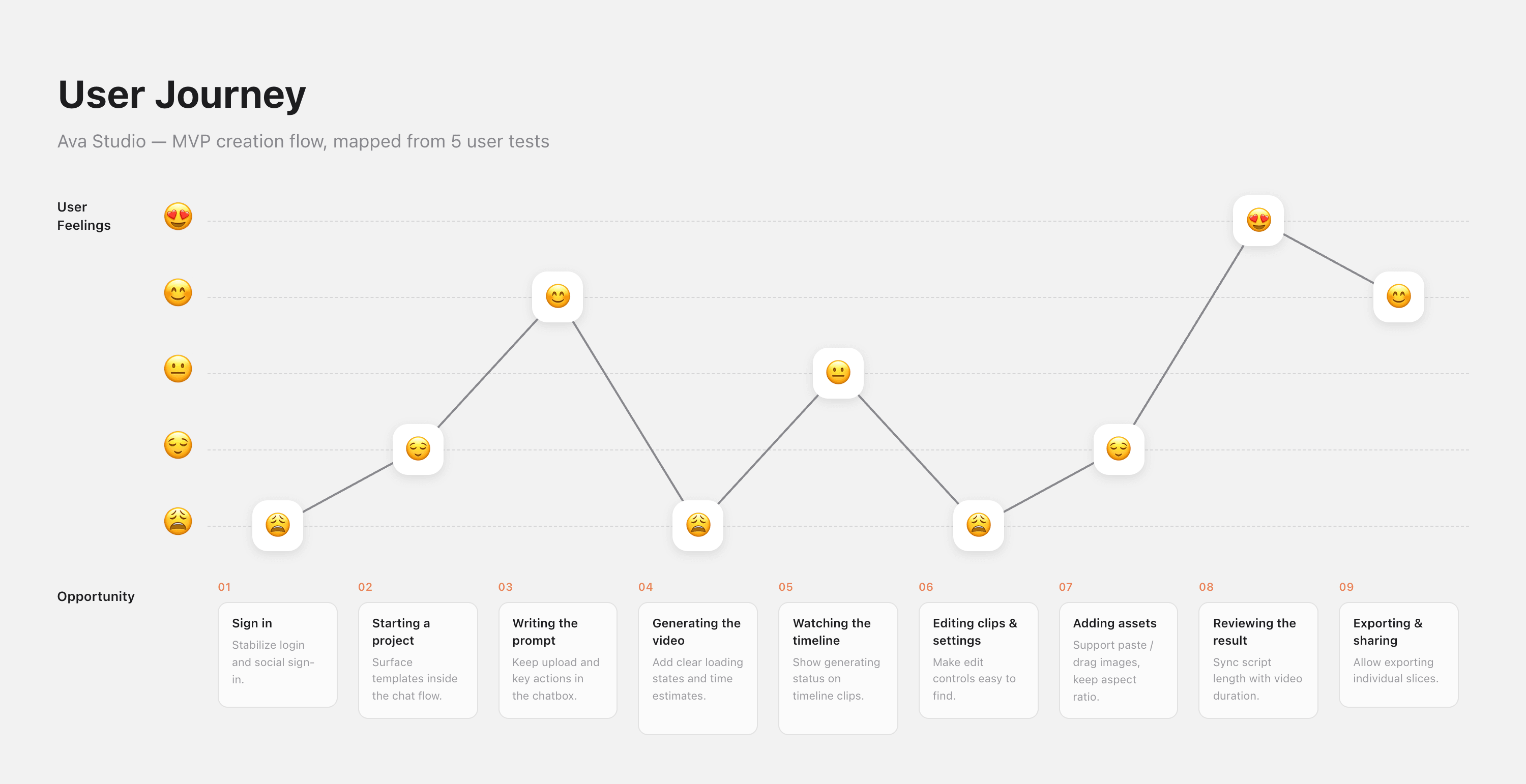
Based on the user testing results, we created a user journey map to better visualize the pain points, opportunities, and key aha moments throughout the MVP experience.
Final Takeaways
Product Positioning Evolution
As the only product designer responsible for all product experiences within the Hologram team, I worked on Ava Studio through nearly a year of continuous iteration. During this process, the product gradually found a much clearer and more focused positioning.
Ava Studio started as a general AI video generation tool, but evolved into a marketing-oriented UGC and paid ads video creation platform. Today, it helps marketing creatives across different industries move quickly from research, idea generation, and video production to launch.
We are currently continuing to improve the Campaign experience, with the goal of helping users complete the full creative workflow inside Ava Studio — from researching what works, collecting high-performing references, generating creative directions, and producing video ads designed for maximum reach and engagement.
Workflow Shift
Alongside the product evolution, our internal workflow also changed significantly.
In the beginning, our process followed a more traditional design handoff model: receiving requirements, creating prototypes, designing UI/UX in Figma, handing off to engineering, and then validating the implementation.
Over time, this shifted into a faster and more experimental workflow: clarifying requirements, building quick coding demos, validating functionality, and then using Figma and code together to polish the final UI/UX experience. This shift greatly improved our iteration speed and helped us test ideas much earlier in the process.
This new workflow also expanded my role as a designer.
I moved beyond being only a UI/UX designer and became more of a product and engineering-oriented designer — someone who could think through product strategy, design the experience, prototype interactions, and collaborate directly with code.
Working in an AI startup also changed the way we think about team roles. Embracing new technologies and workflows became one of our core team values. Instead of staying within fixed responsibilities, everyone on the team developed a broader ability to understand, build, and improve the product end to end.
Design System + AI-Native Collaboration
To support faster and more consistent product iteration, I rebuilt the design system and integrated it into our development workflow with Claude Code.
This allowed Claude to directly reference our components, interaction patterns, and design guidelines during implementation. As a result, we maintained better product consistency, reduced repetitive back-and-forth revisions, and made each iteration more efficient and scalable.